1
2
3
4
5
6
7
8
9
10
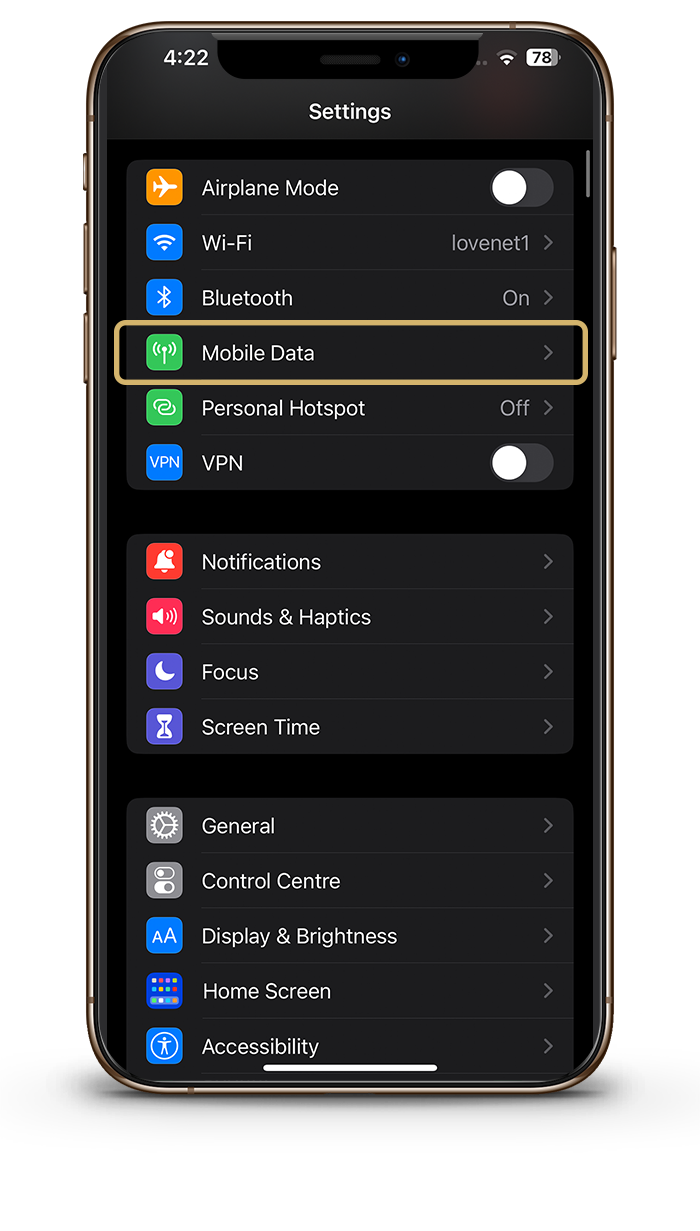
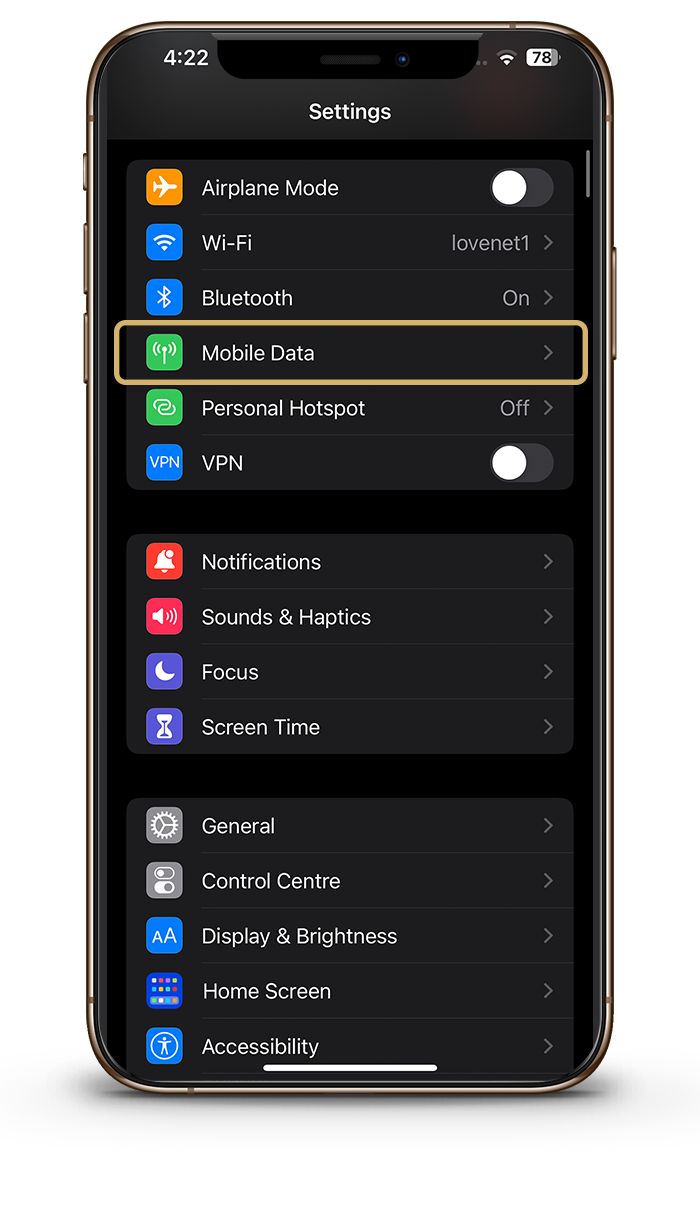
Go to settings - Cellular/Mobile Data
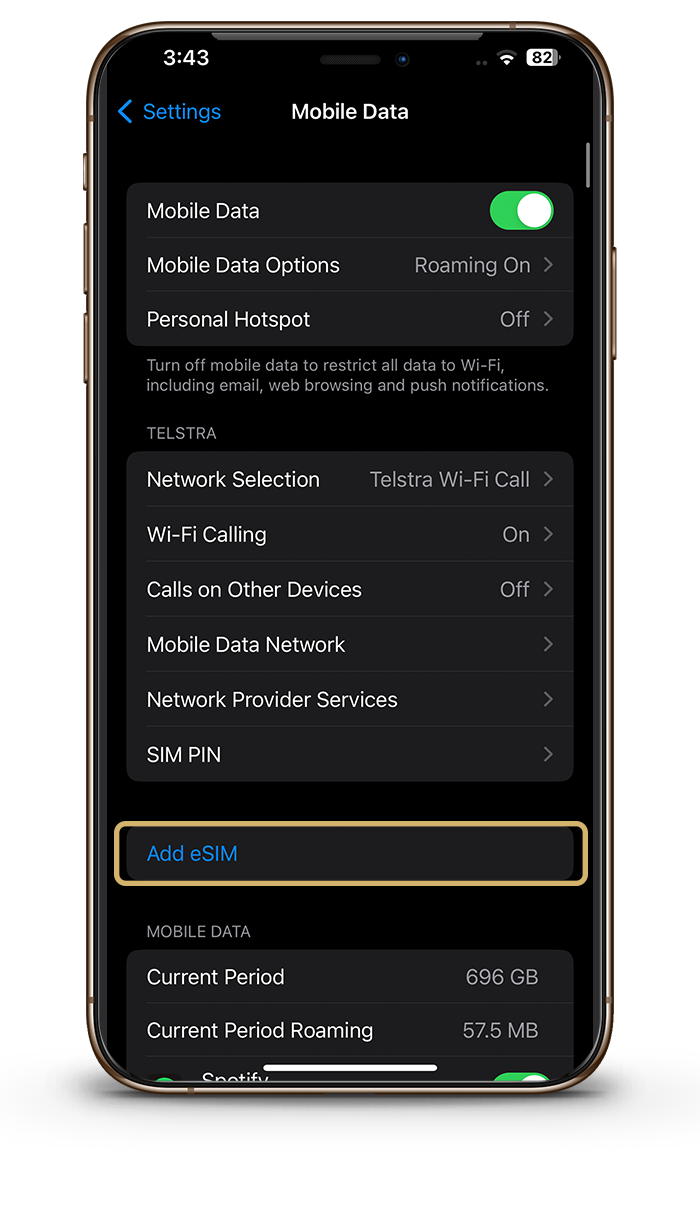
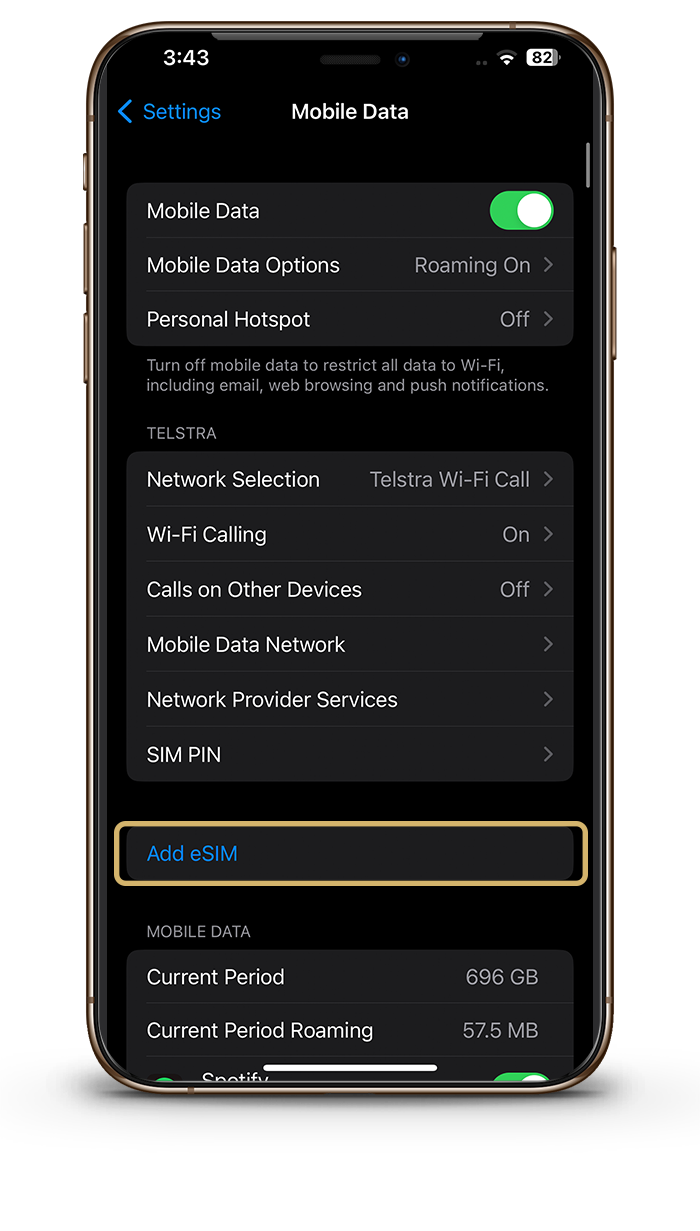
Select - Add eSIM
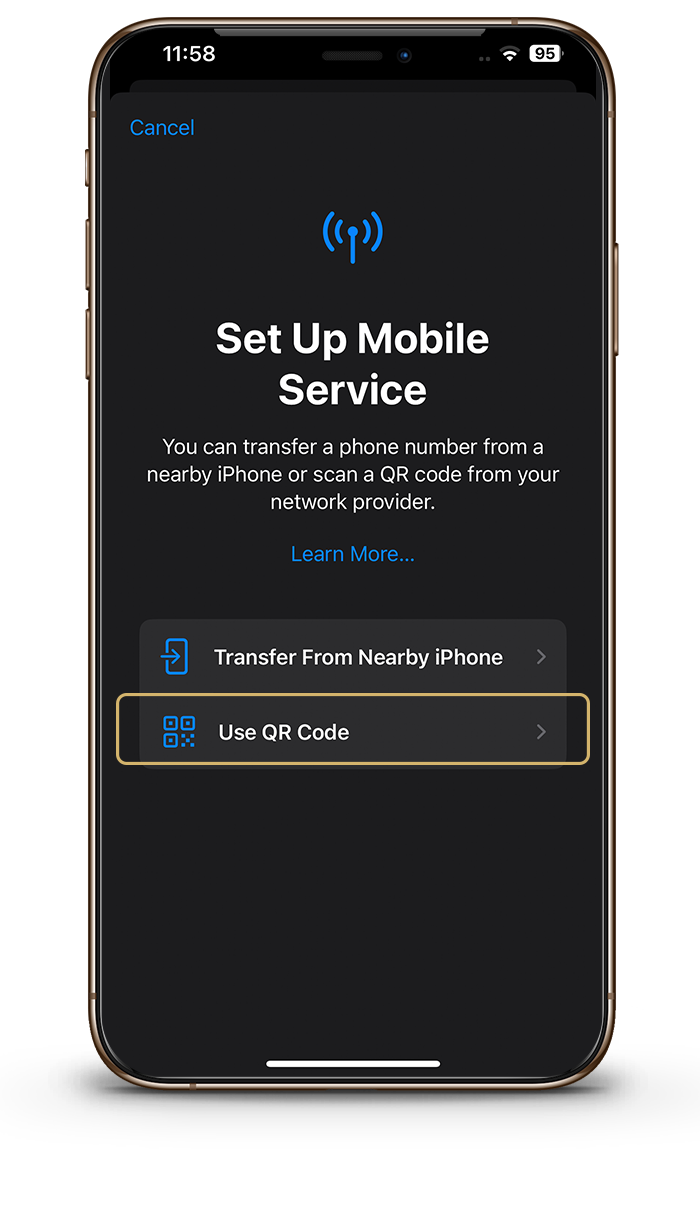
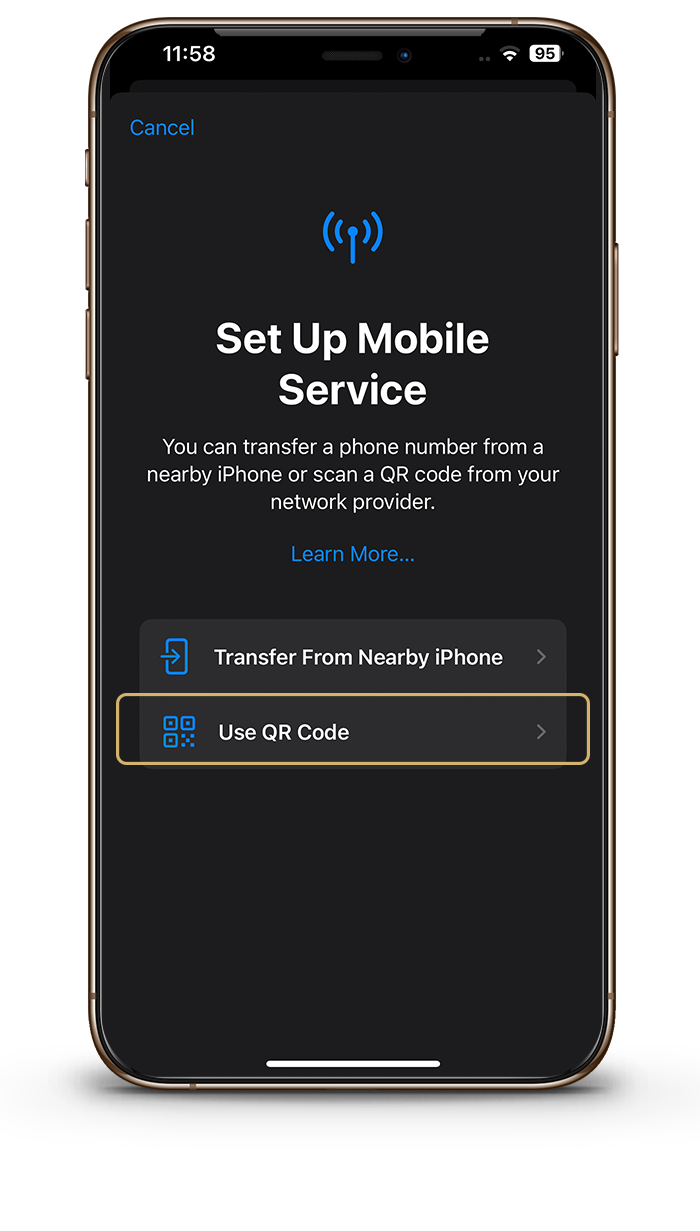
Select use QR code
The QR Code will be sent to you via email upon purchase.
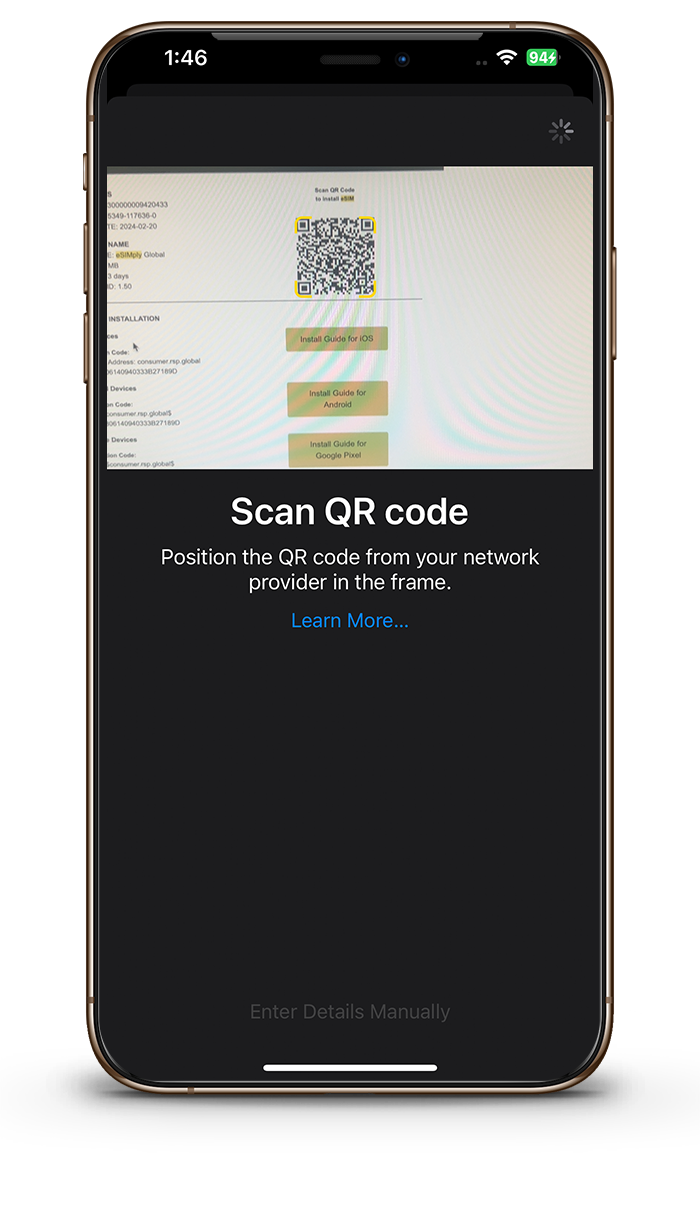
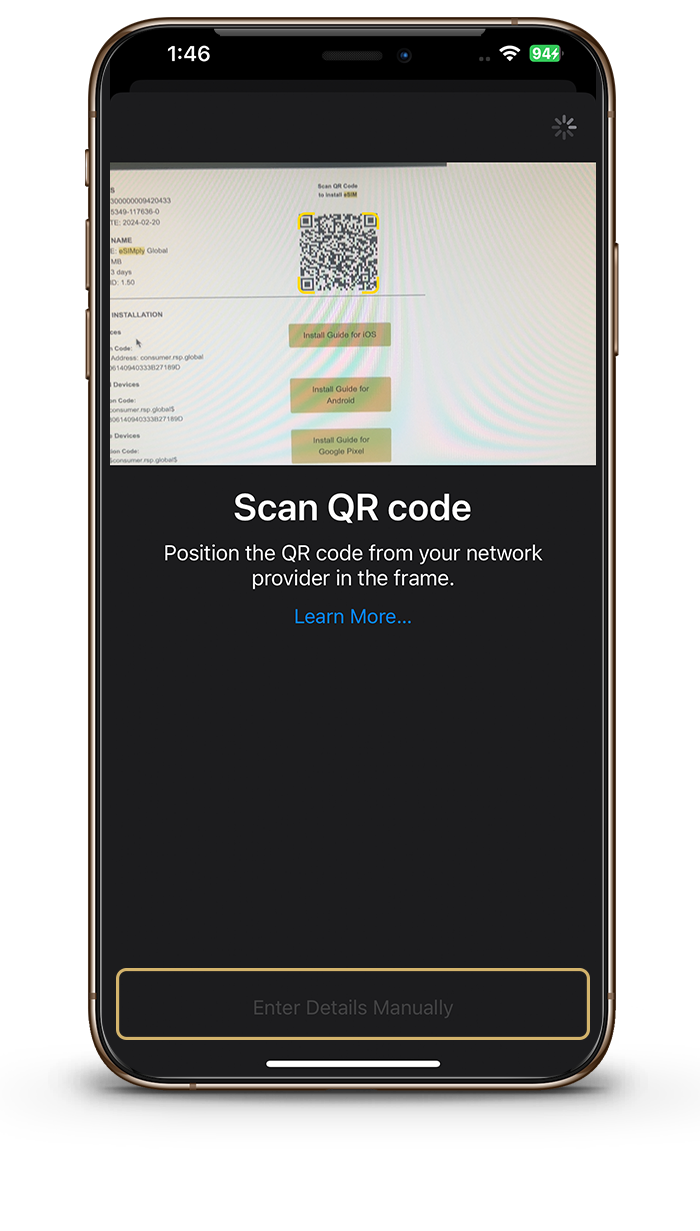
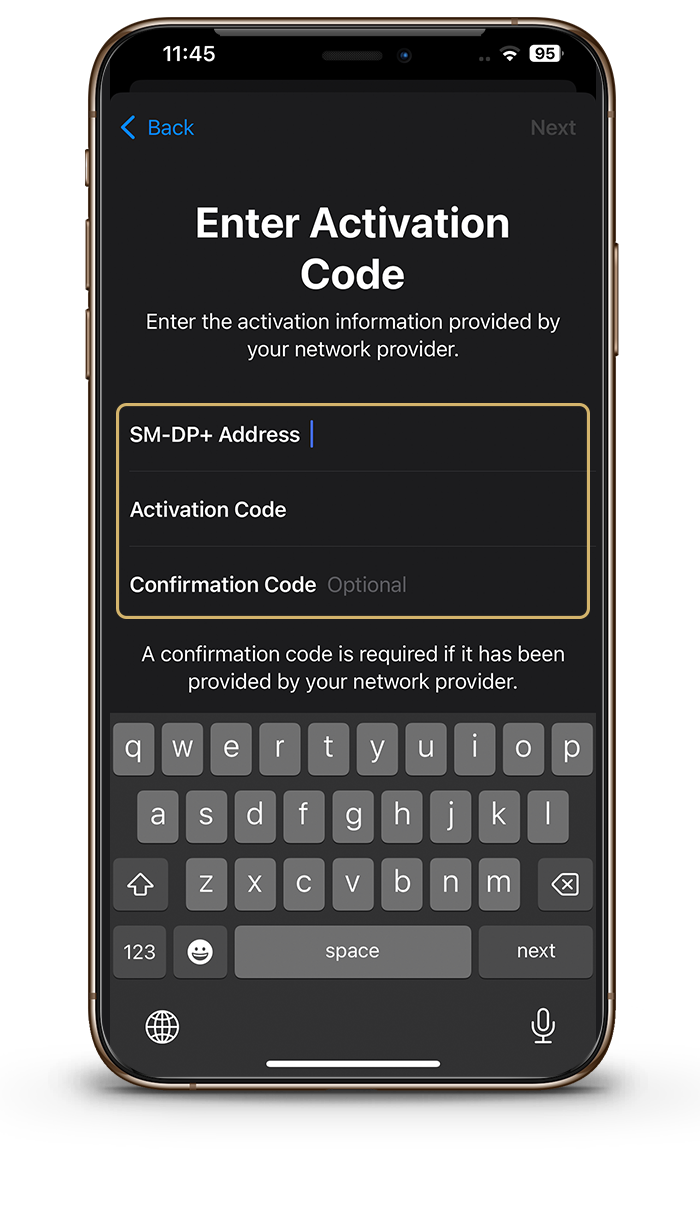
Scan QR code
The QR Code will be sent to you via email upon purchase.
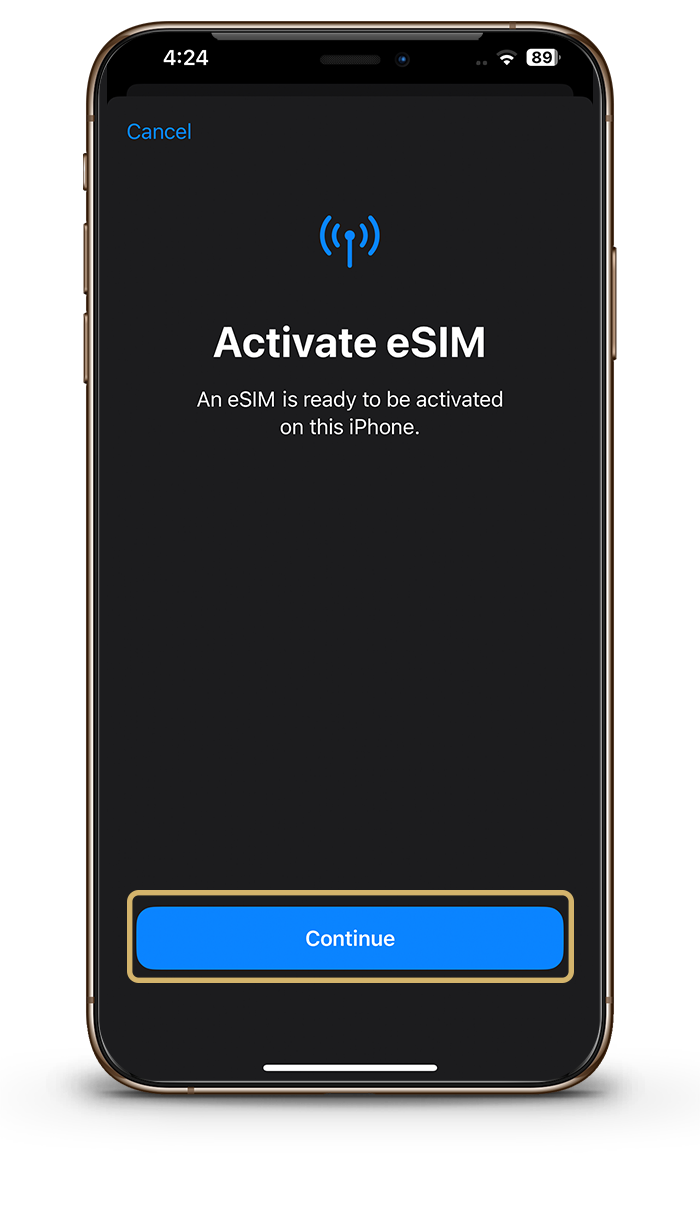
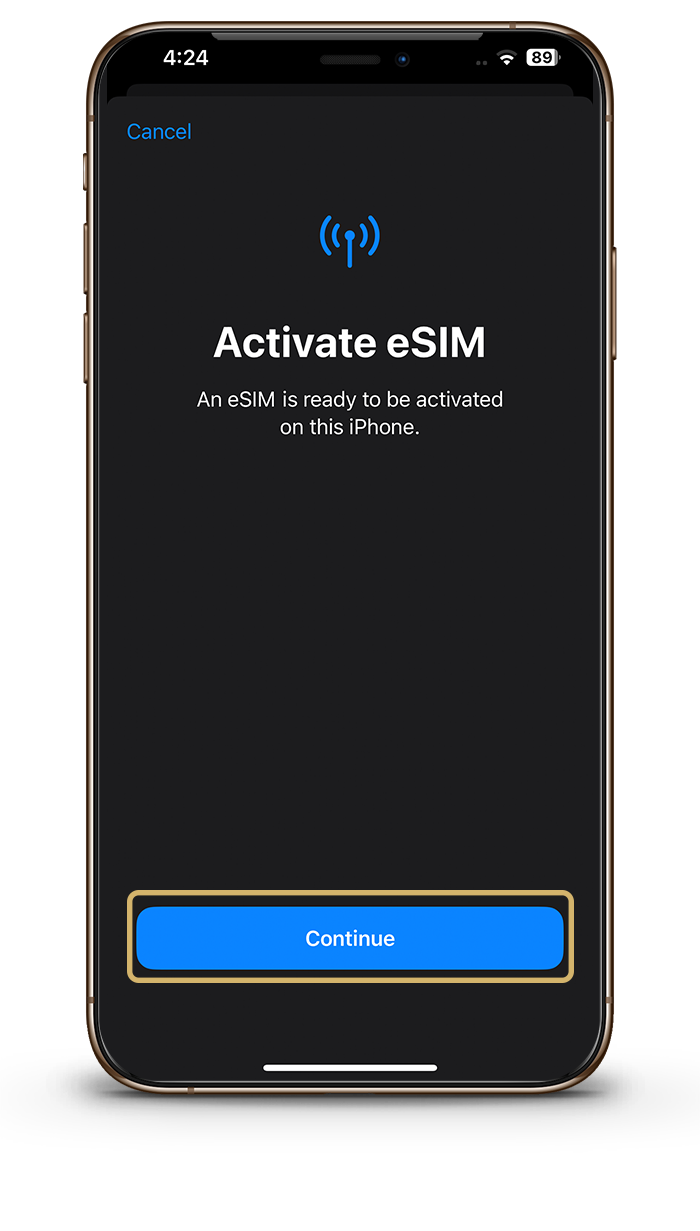
Activate your eSIM
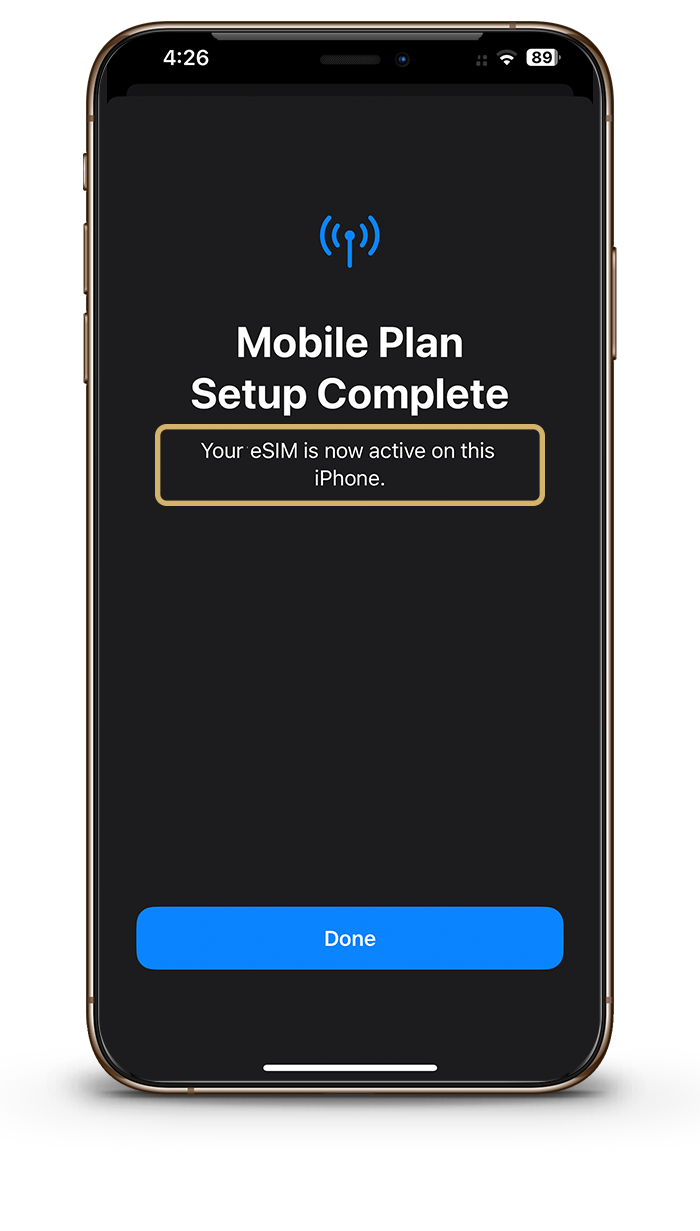
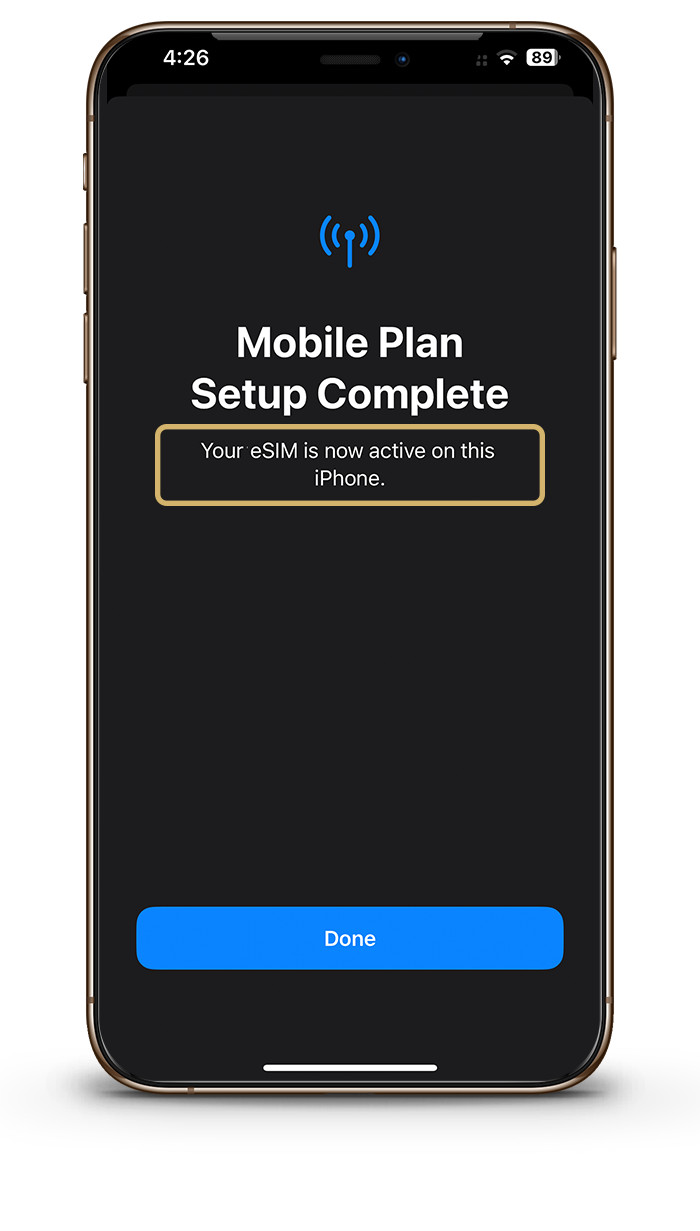
Click done once activated
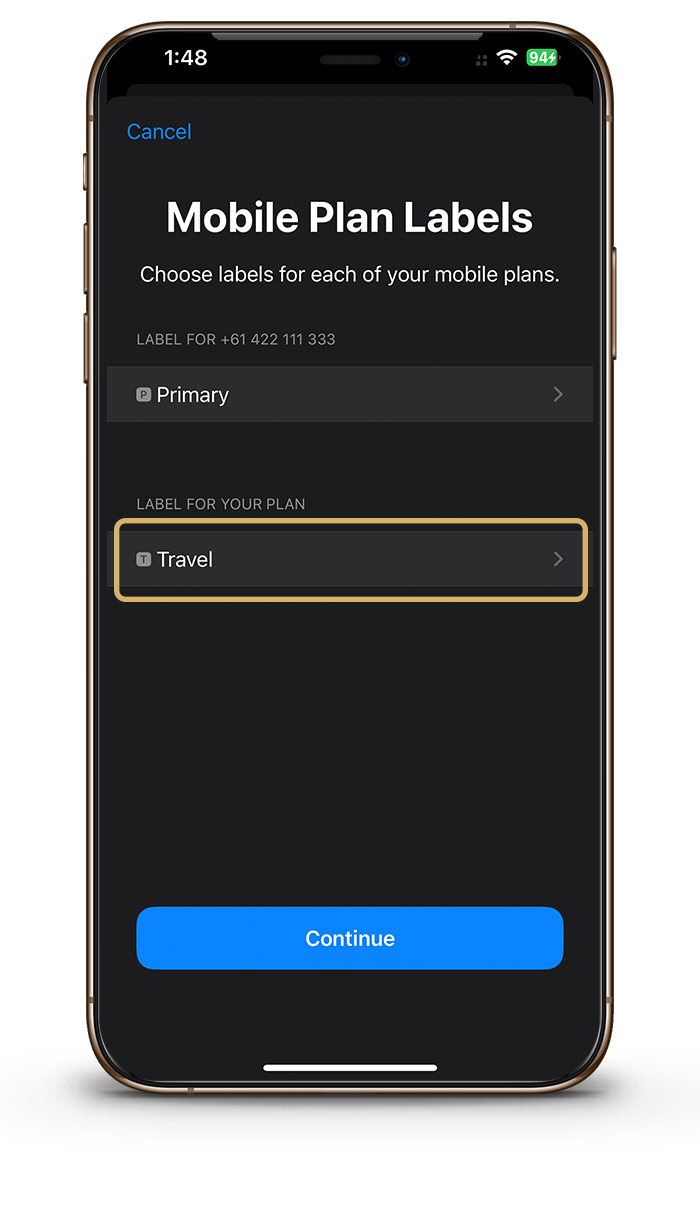
Label your eSIM
Call your eSIM something like travel or the country which it will be used in.
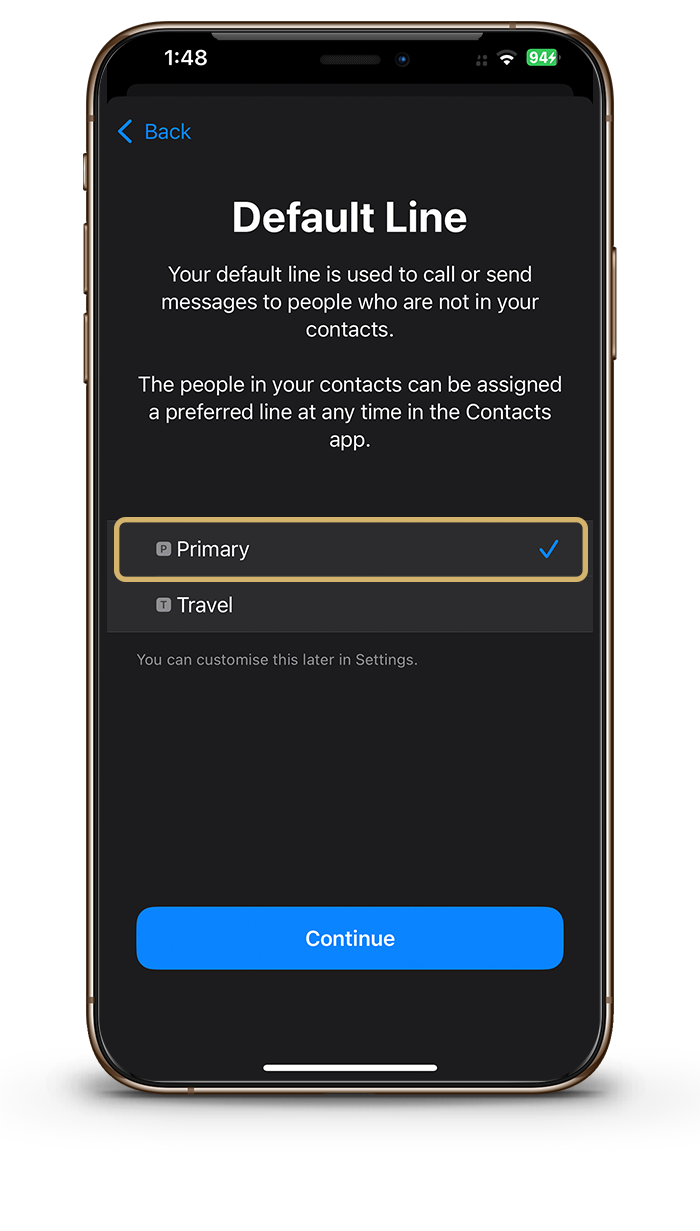
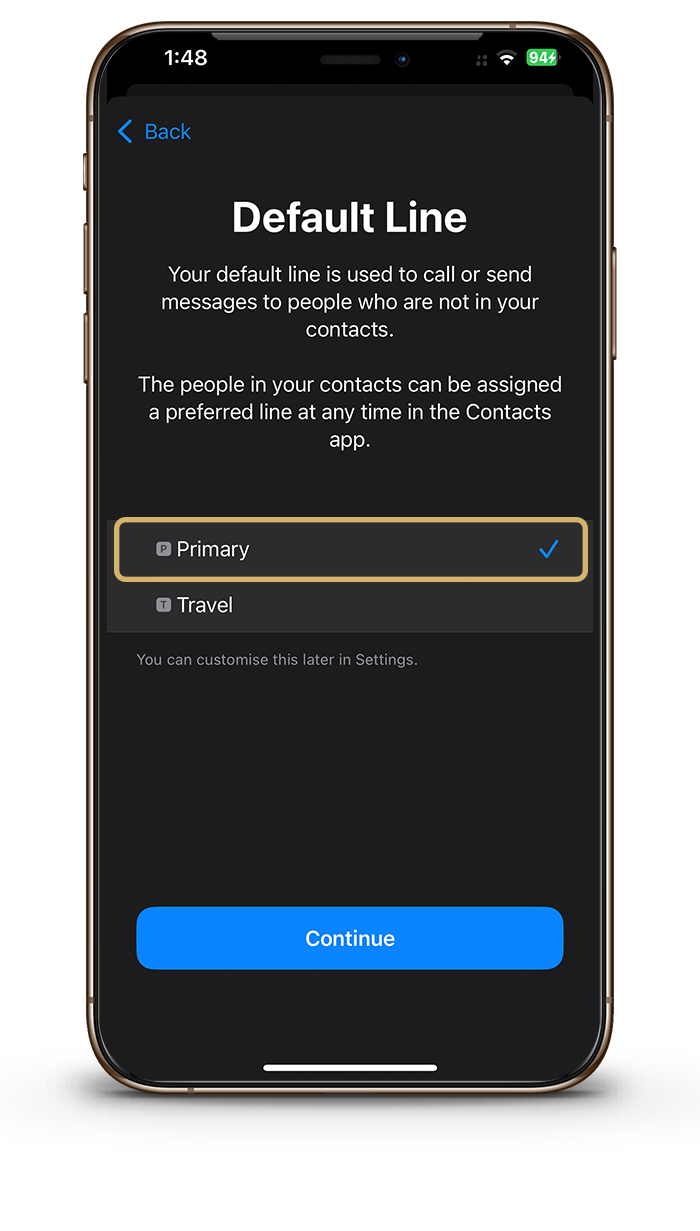
Choose your Default line
The eSIM provides data only so please choose Primary.
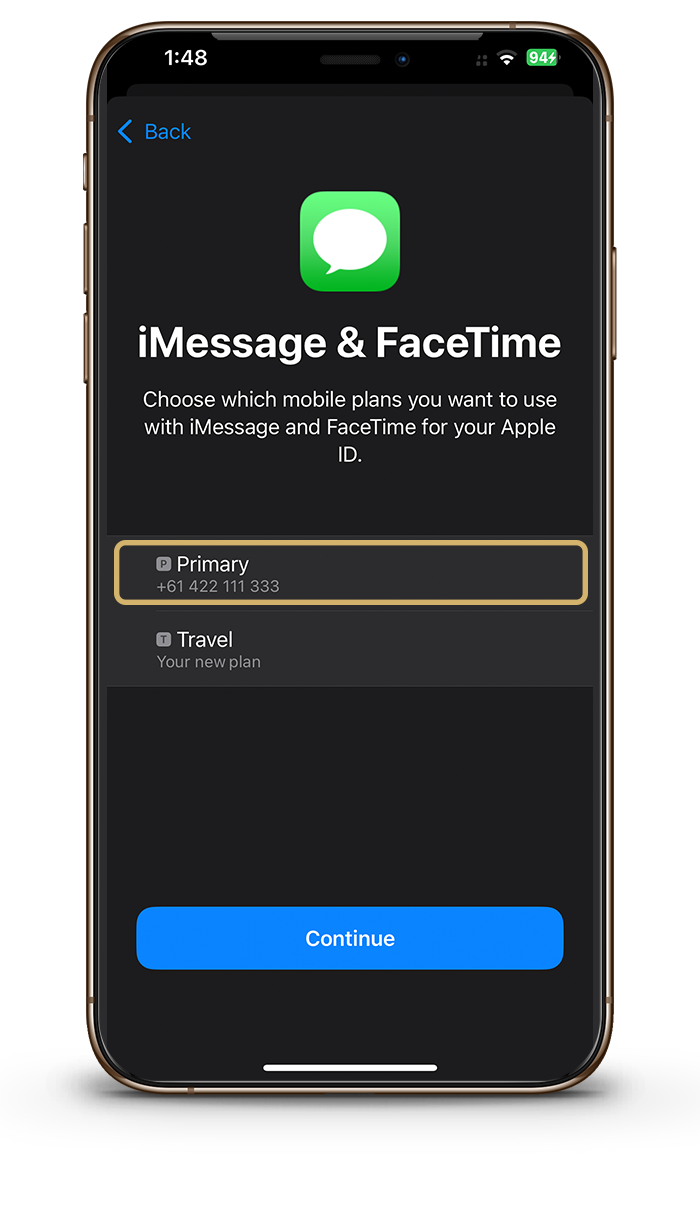
Select Primary
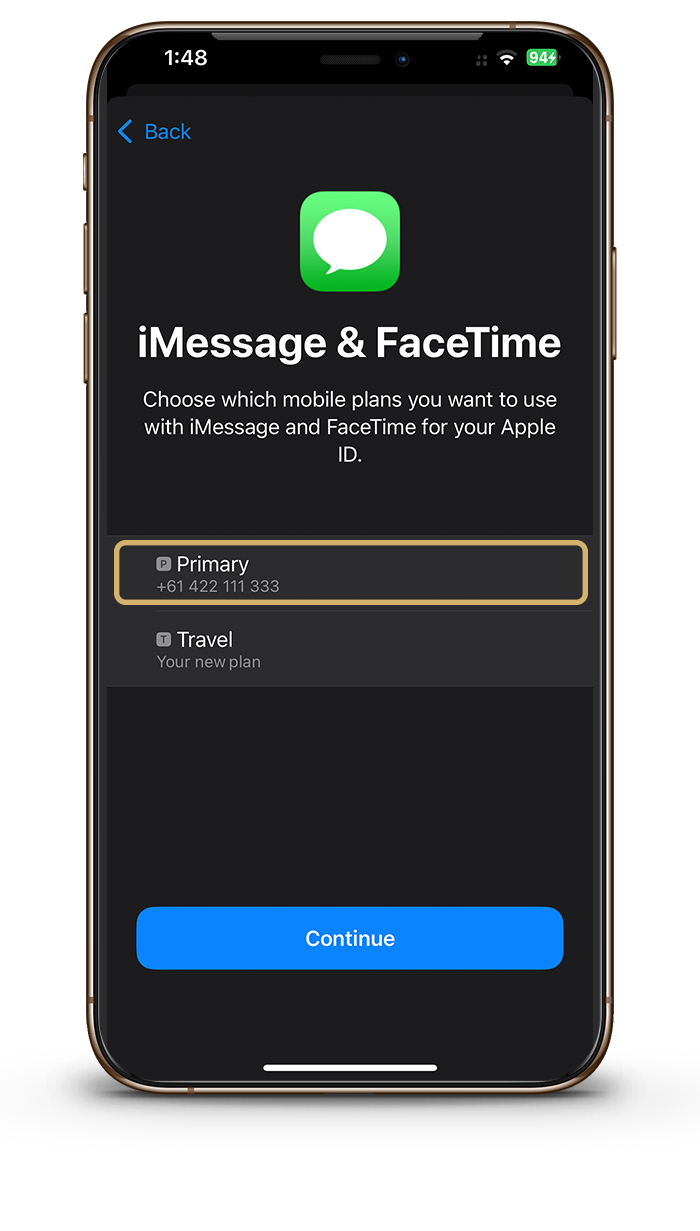
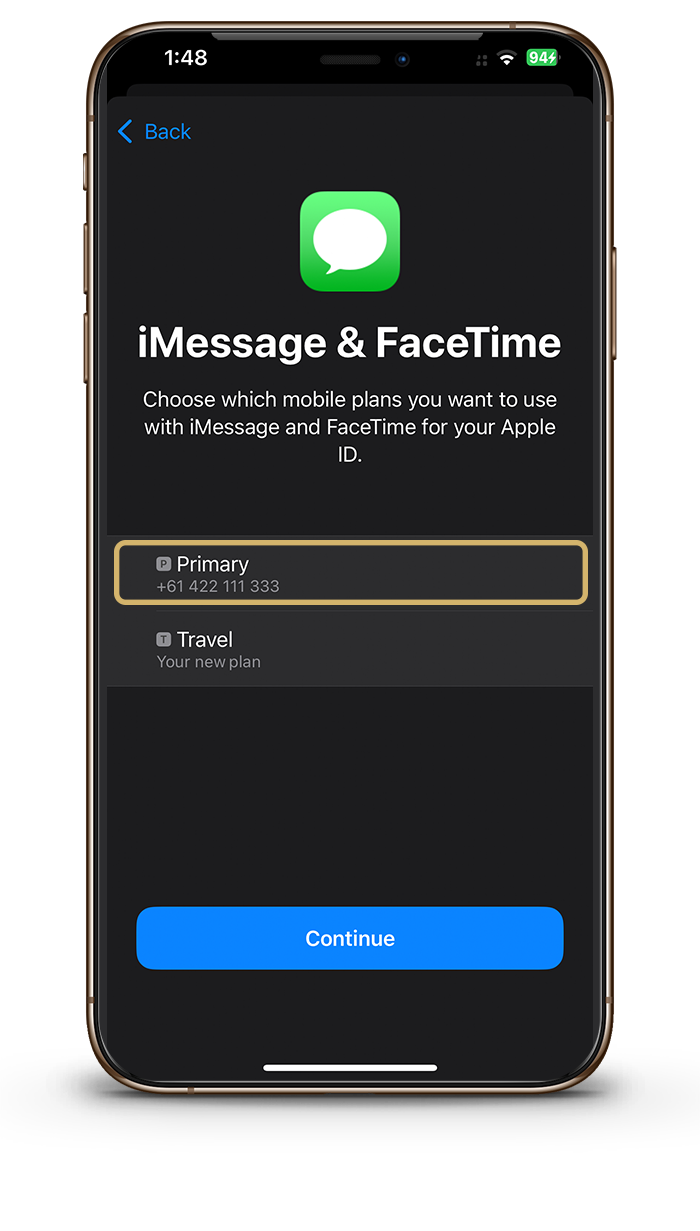
Please choose Primary iMessage & Facetime.
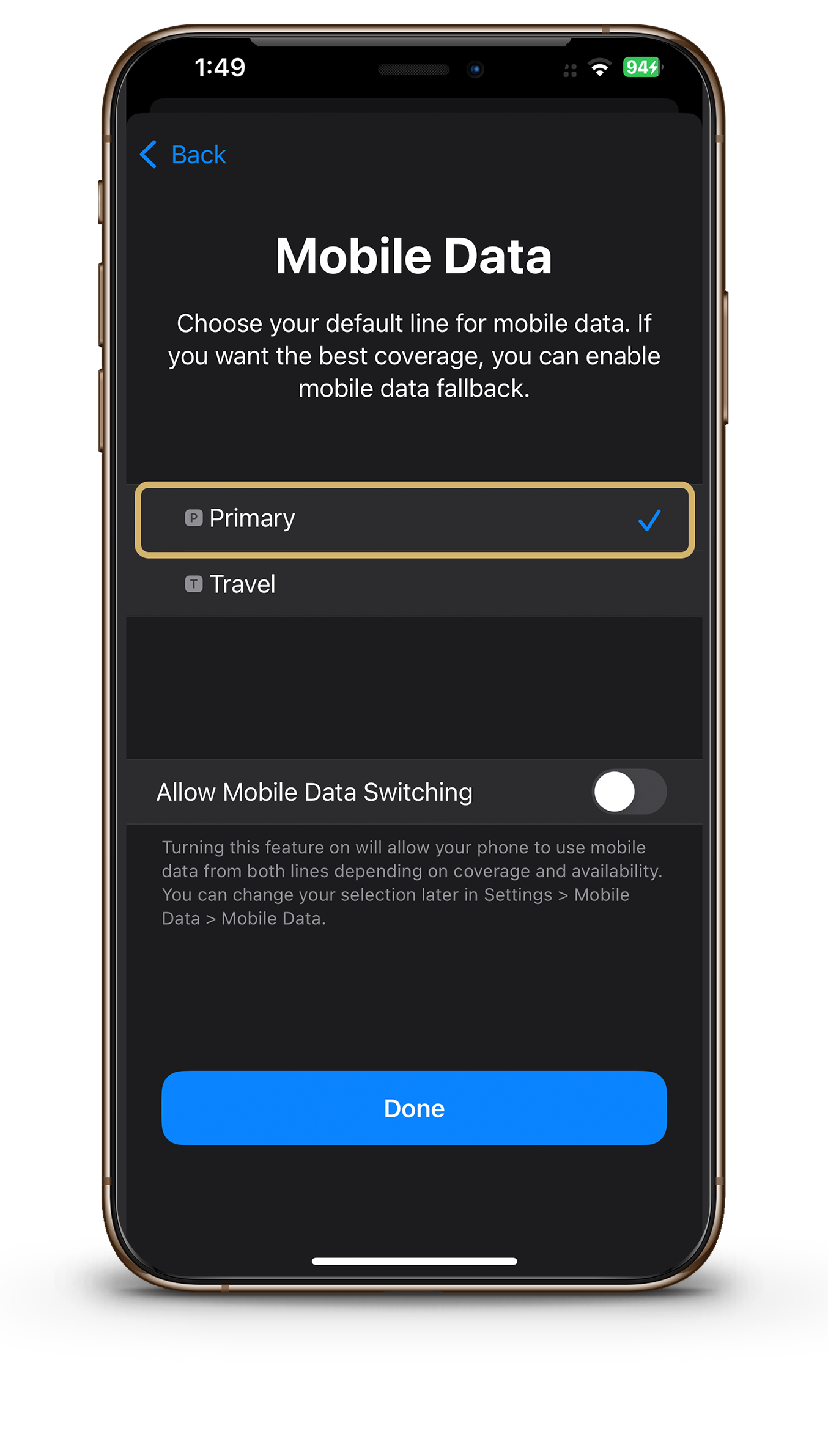
Select Primary
Please choose Primary for mobile data while still in your current location.
1
2
3
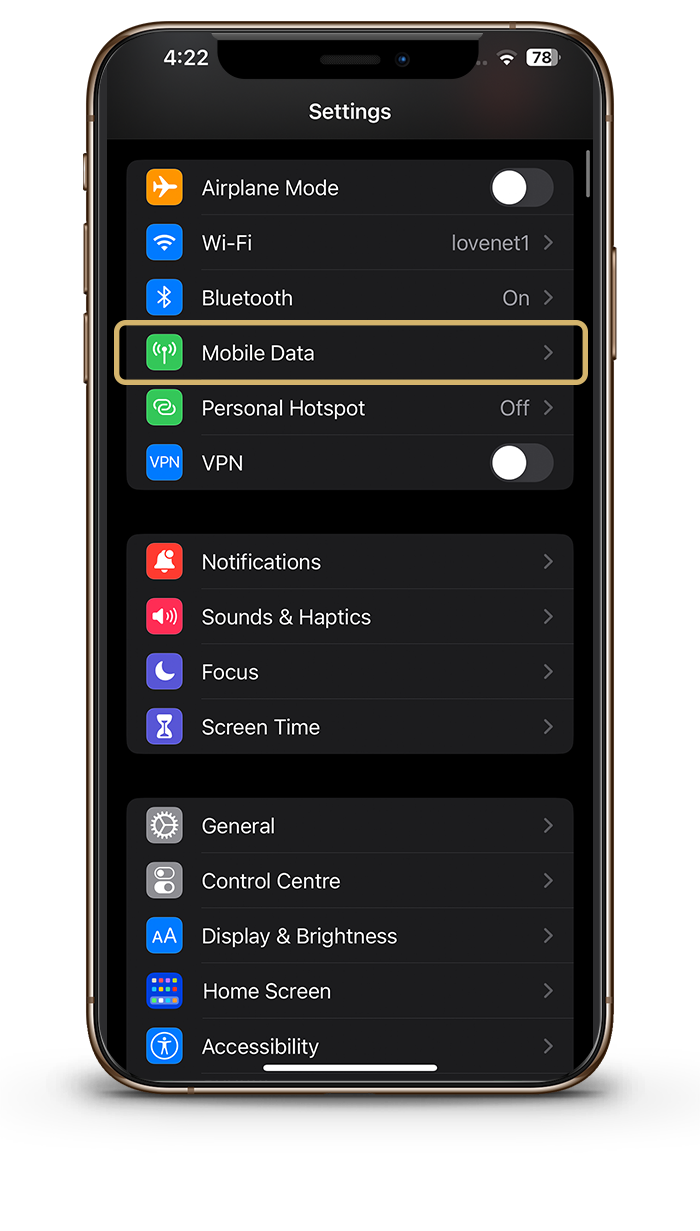
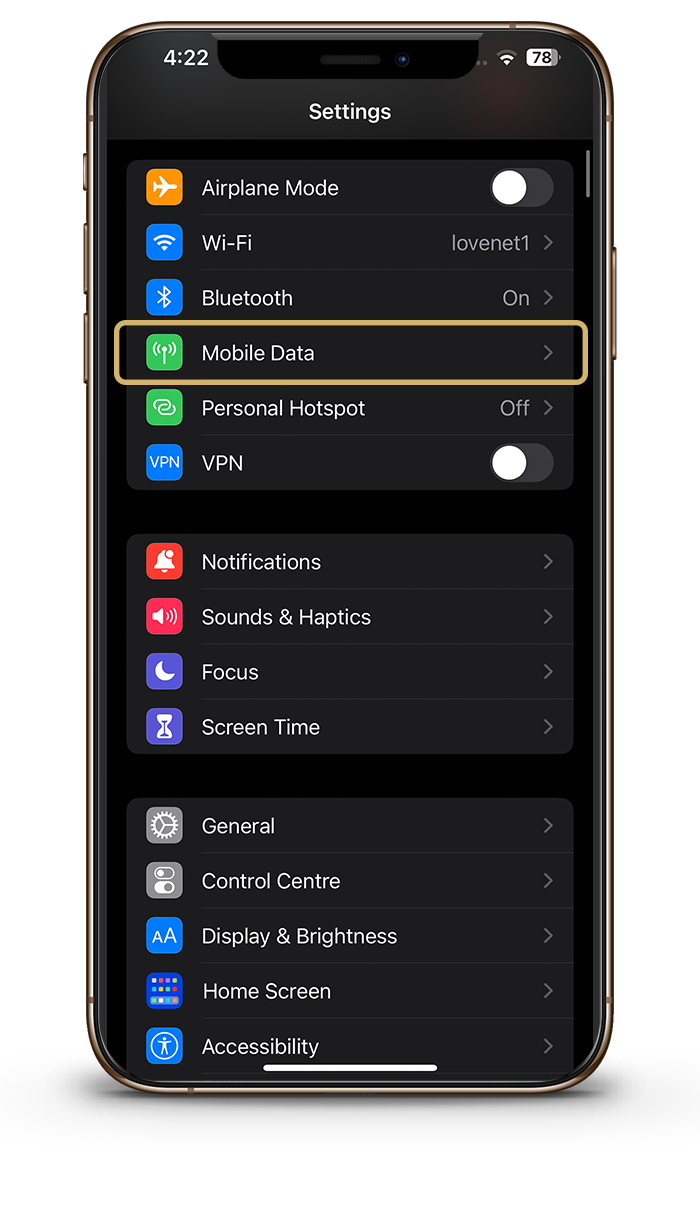
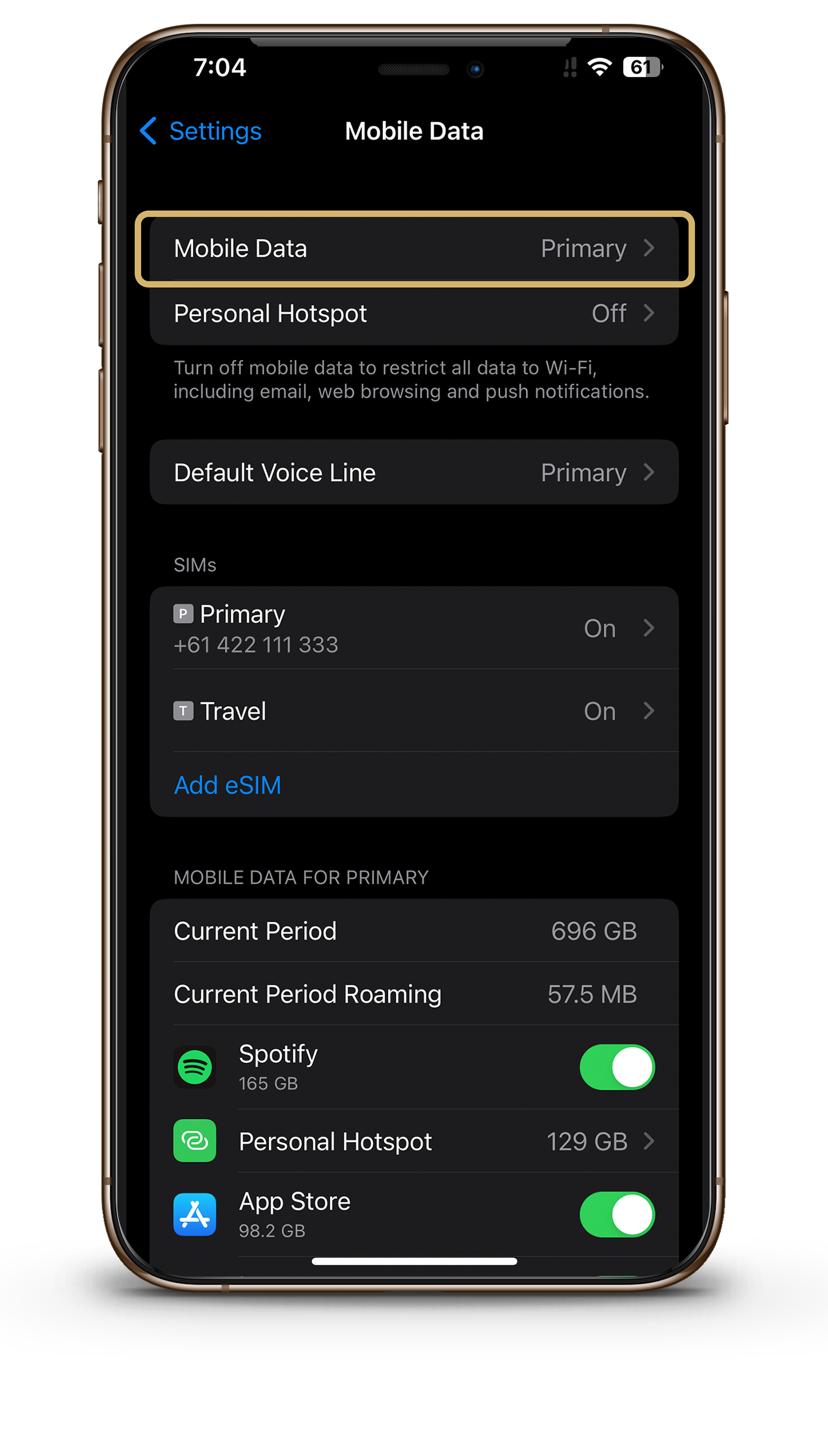
Go to settings - Cellular/Mobile Data
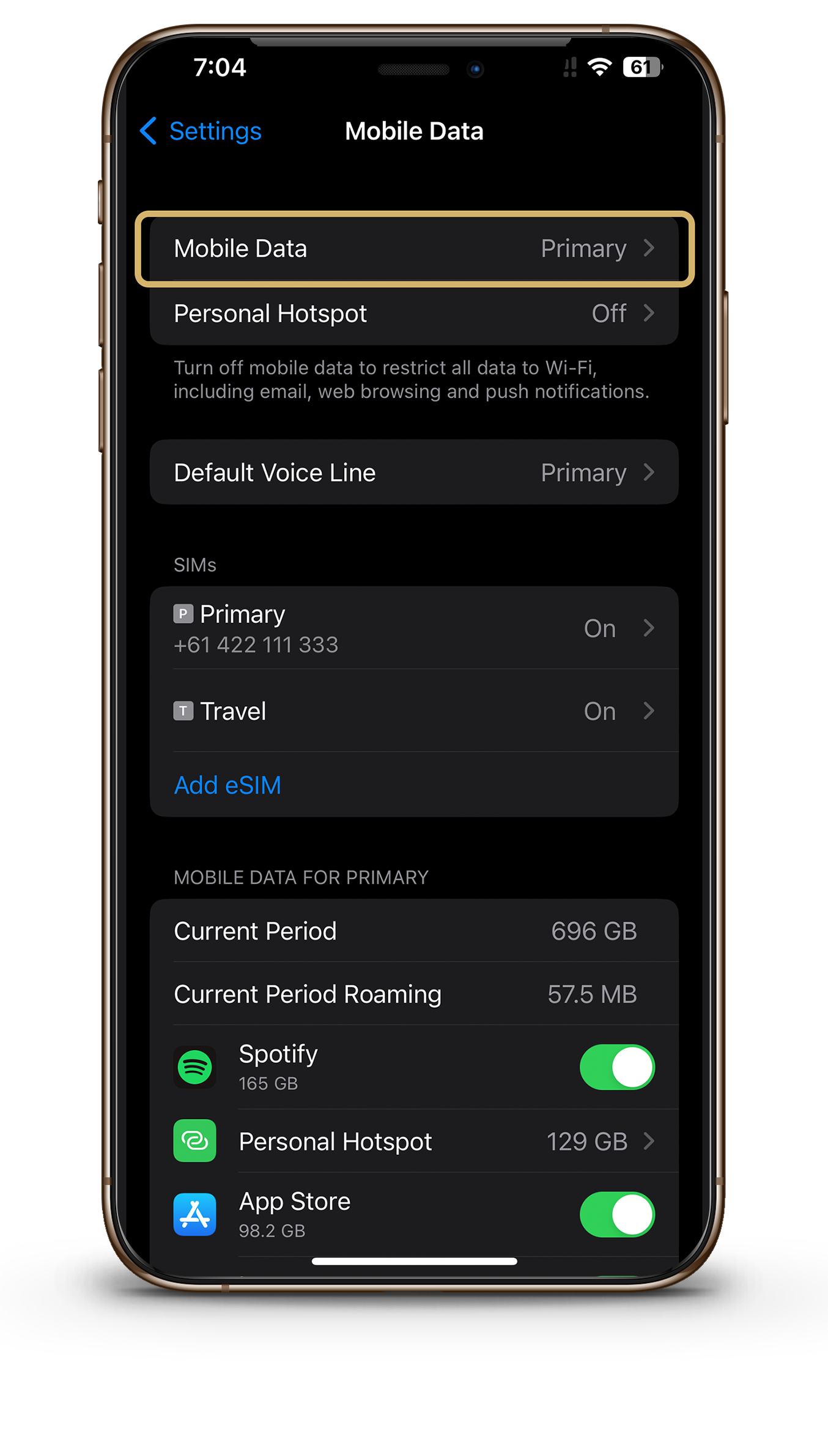
Select Cellular/Mobile Data
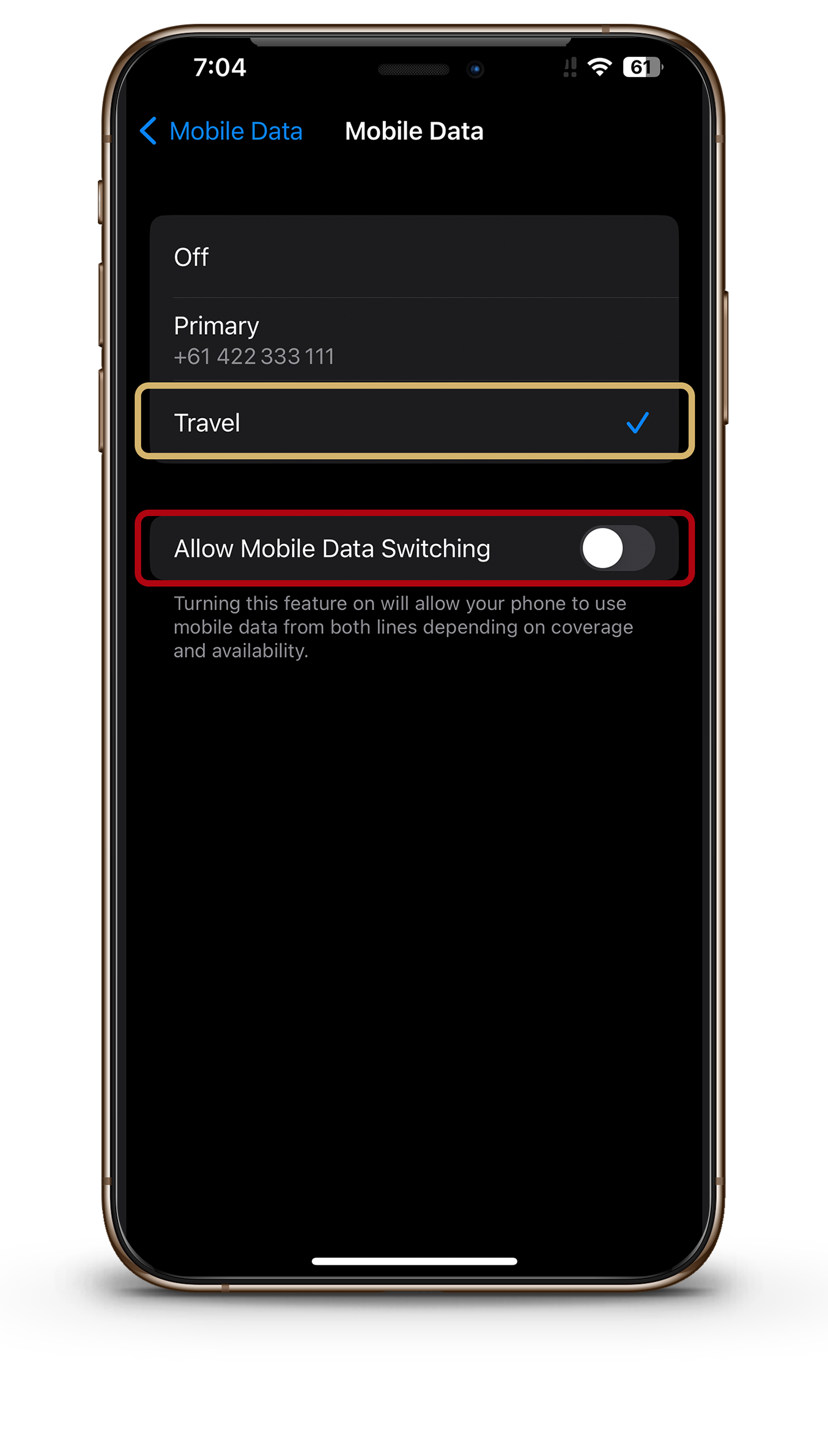
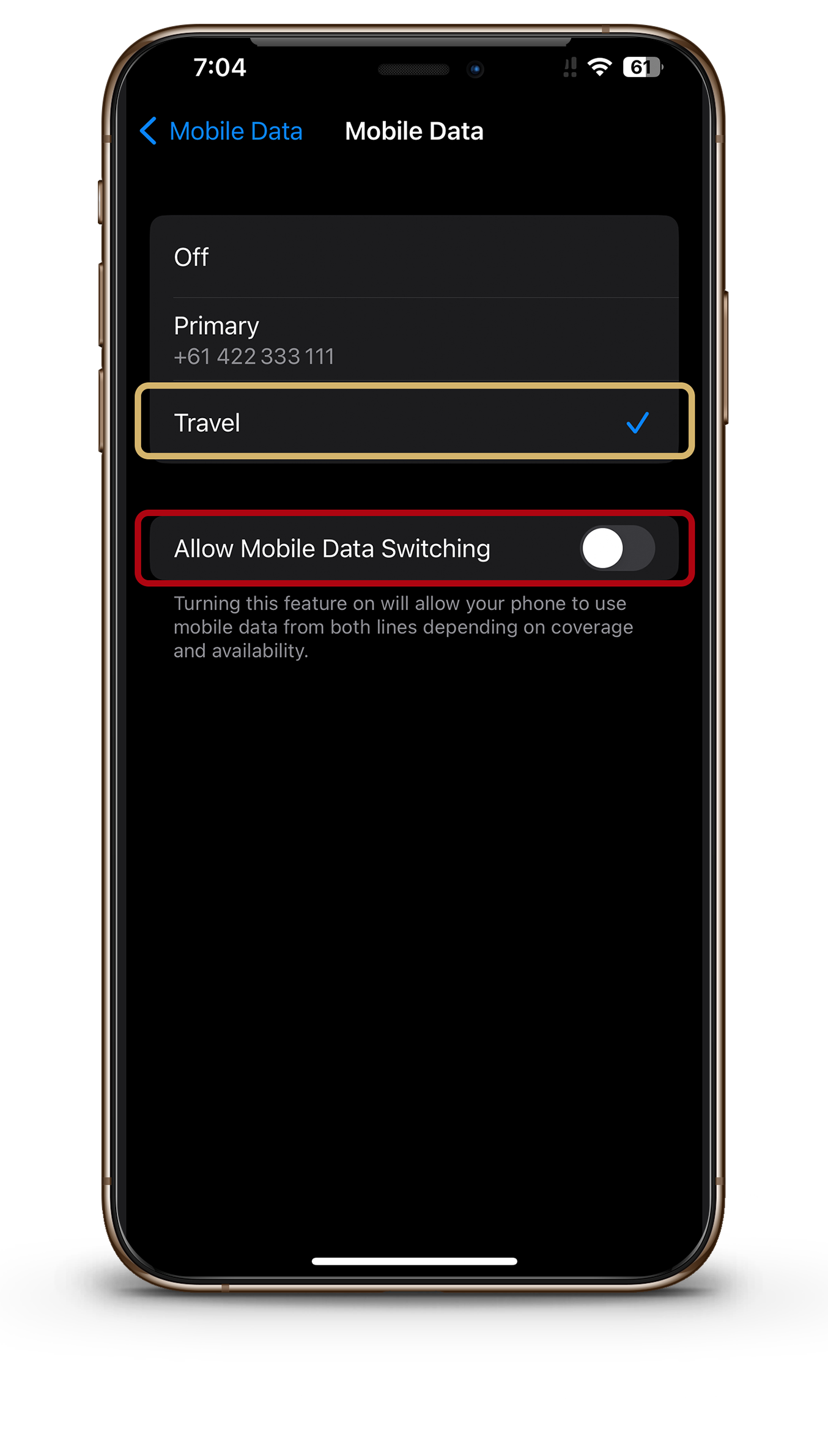
Select - Secondary/your eSIM
Leave the 'Allow mobile data switching' unchecked.
1
2
3
4
5
6
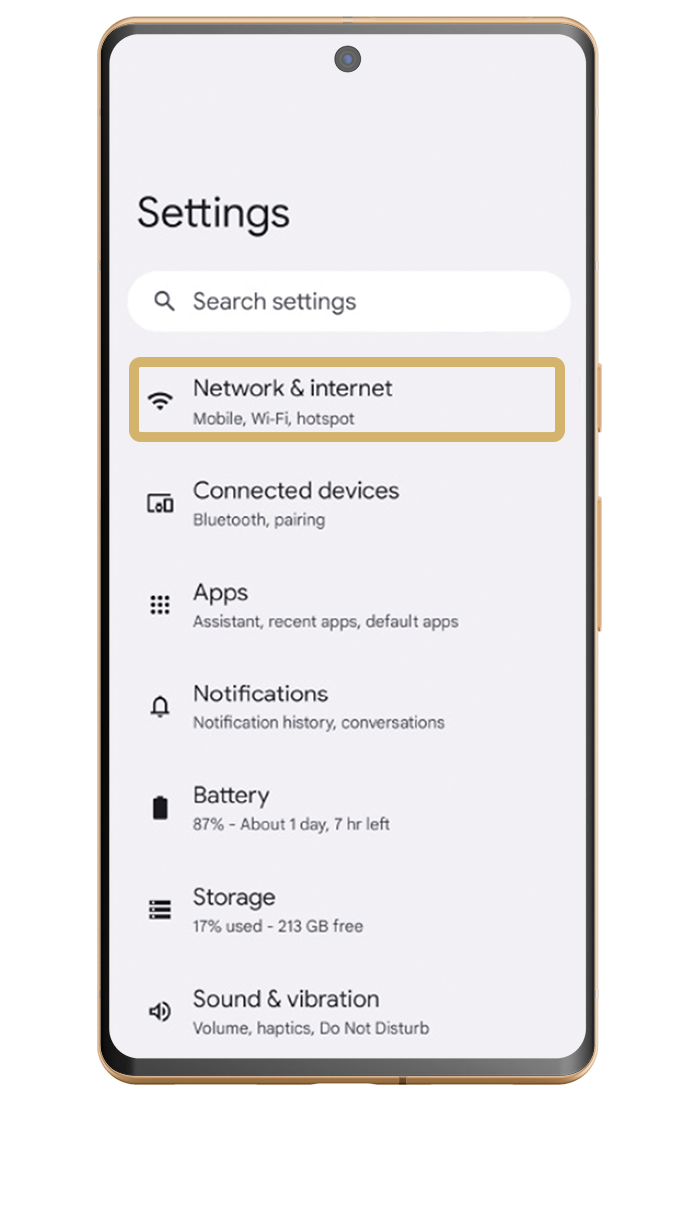
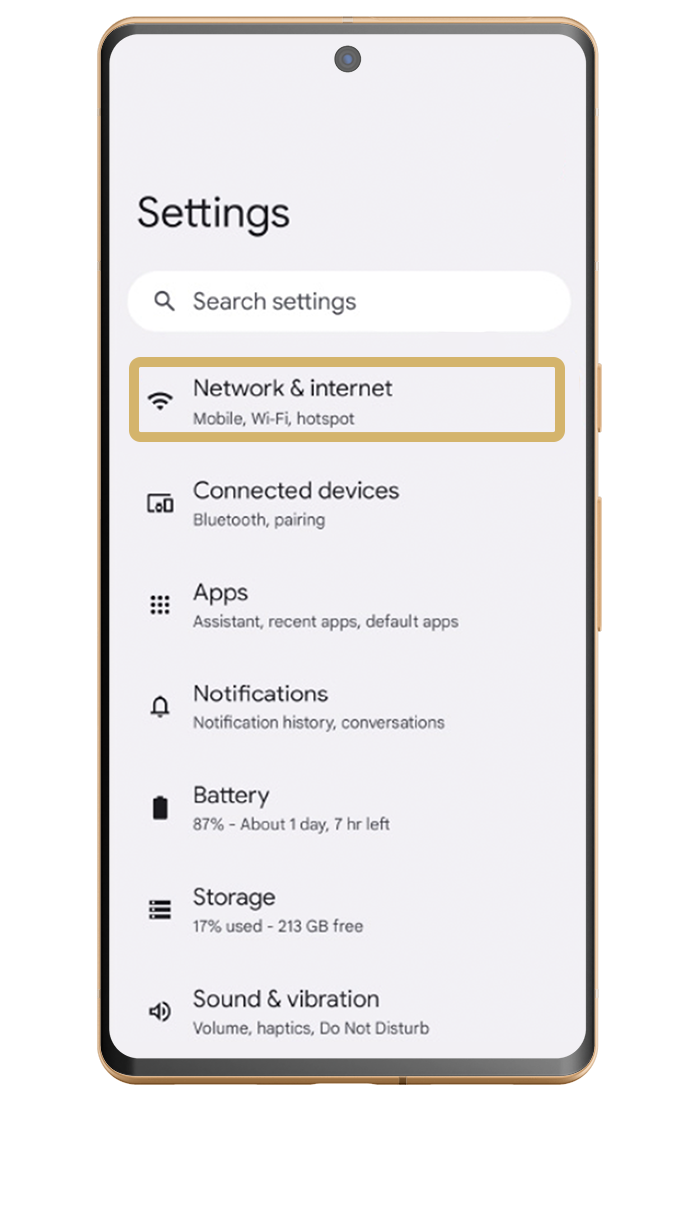
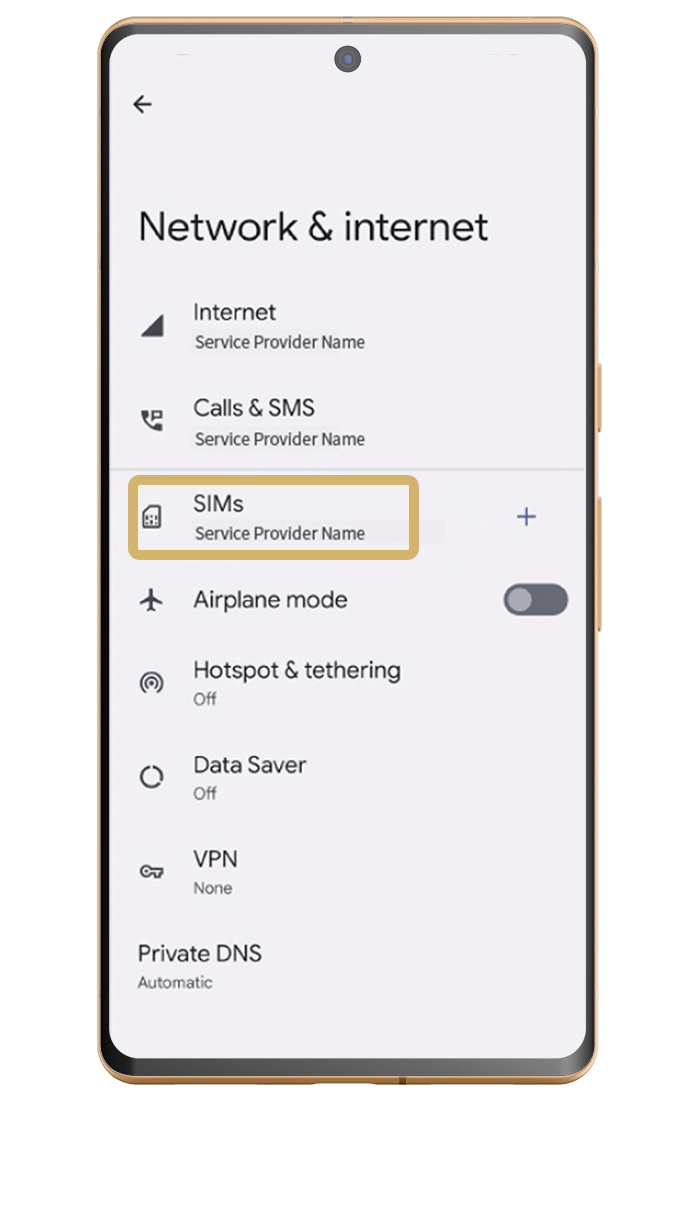
Go to settings - Network & Internet
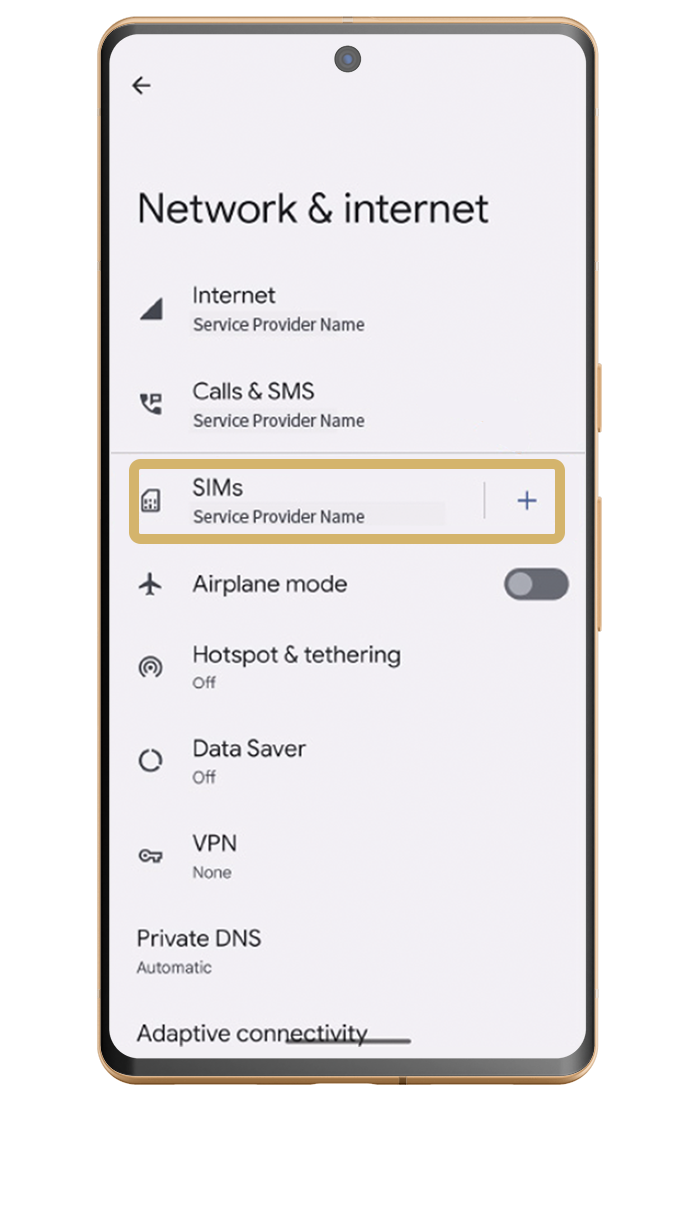
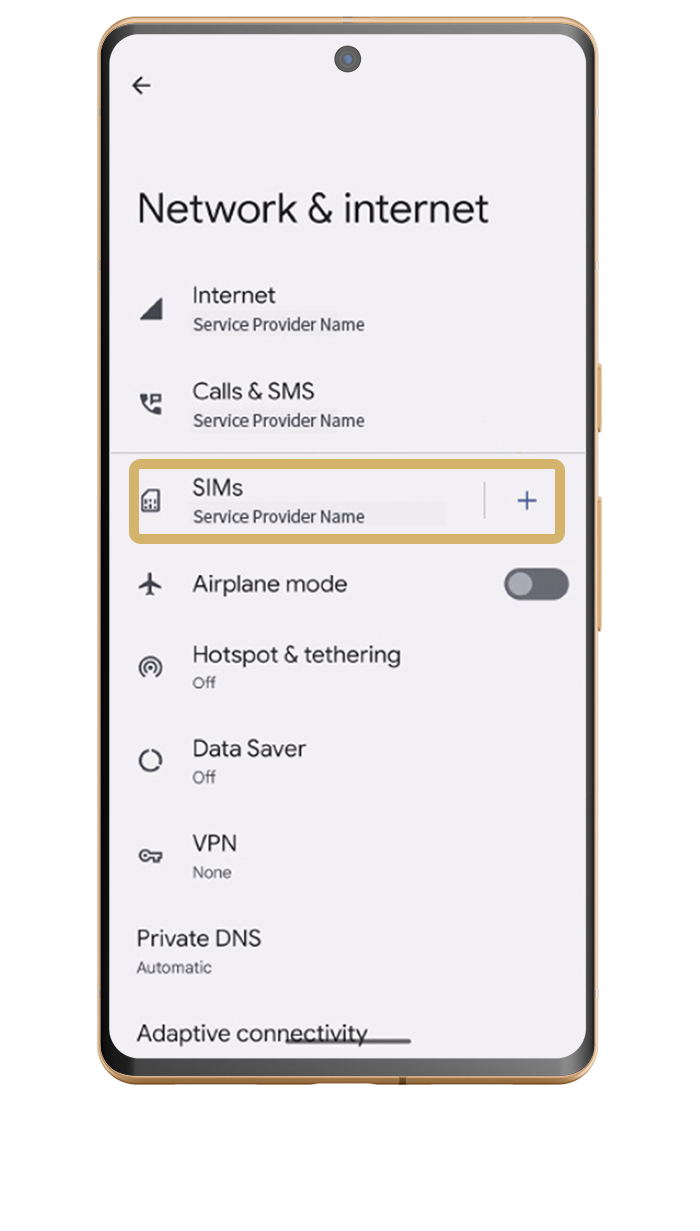
Locate SIMS - Tap +
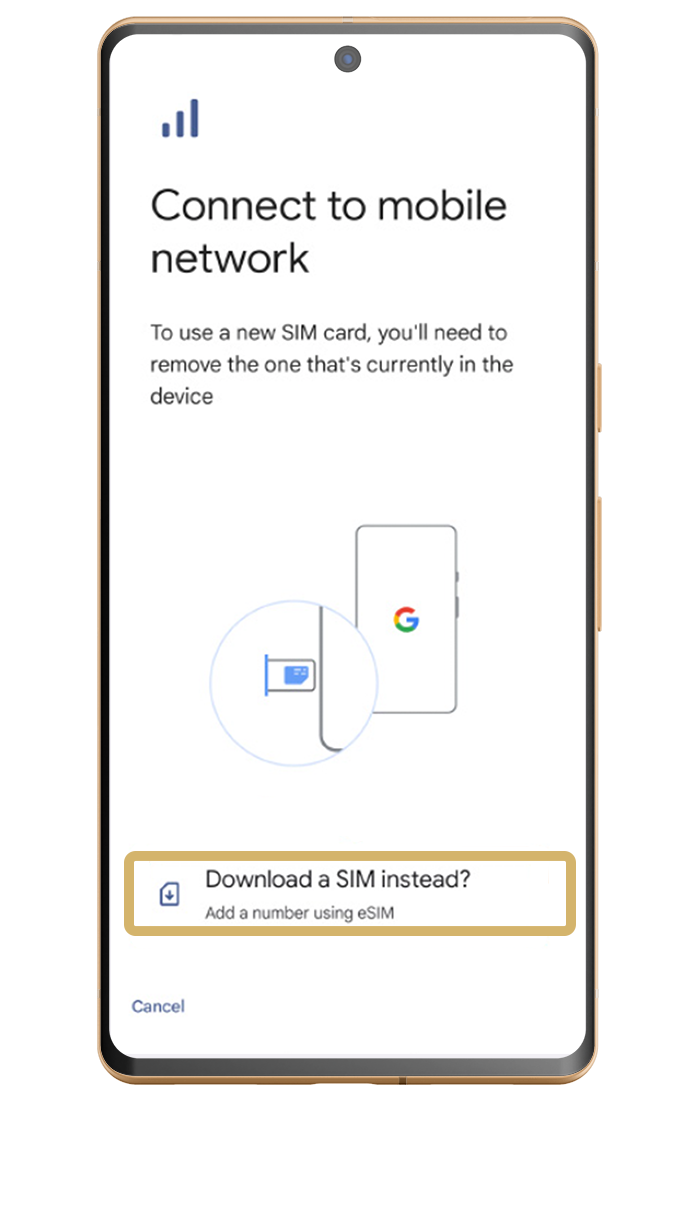
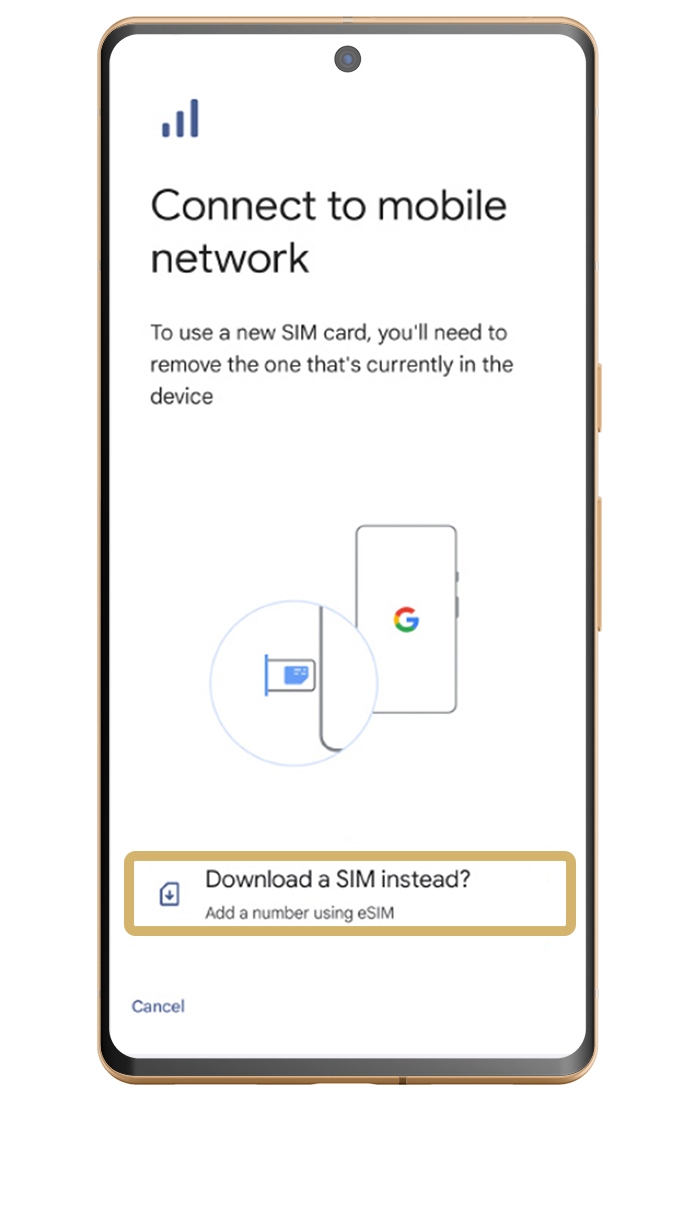
Select - Download a SIM
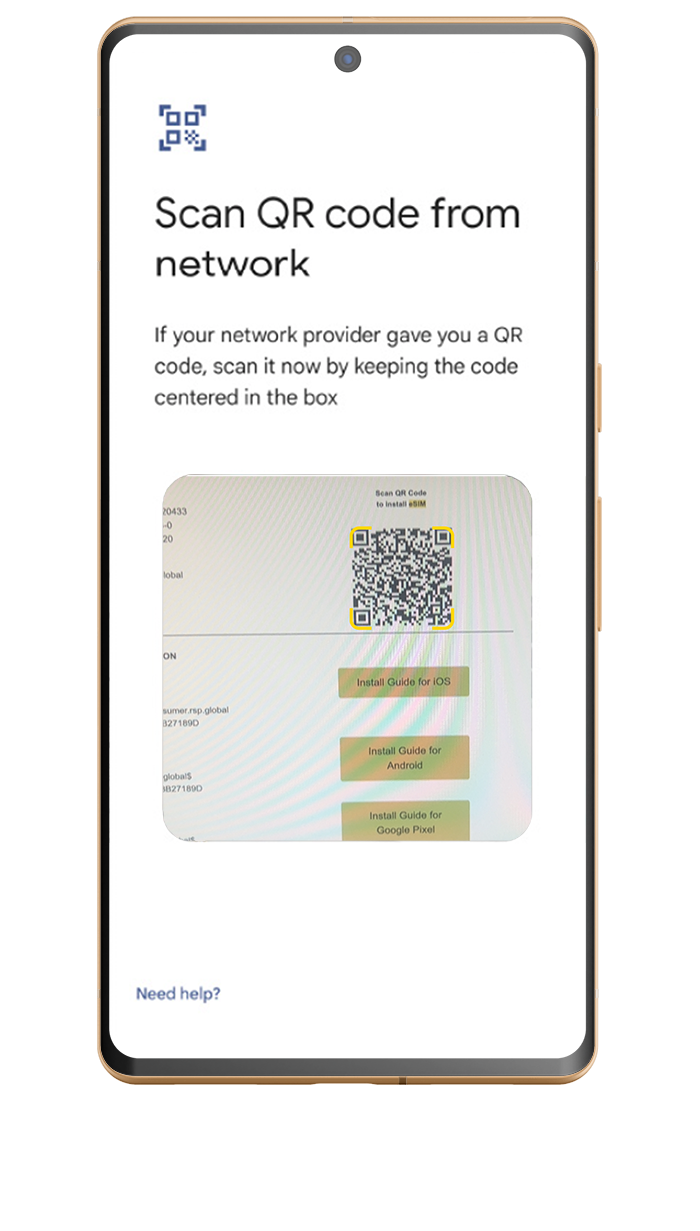
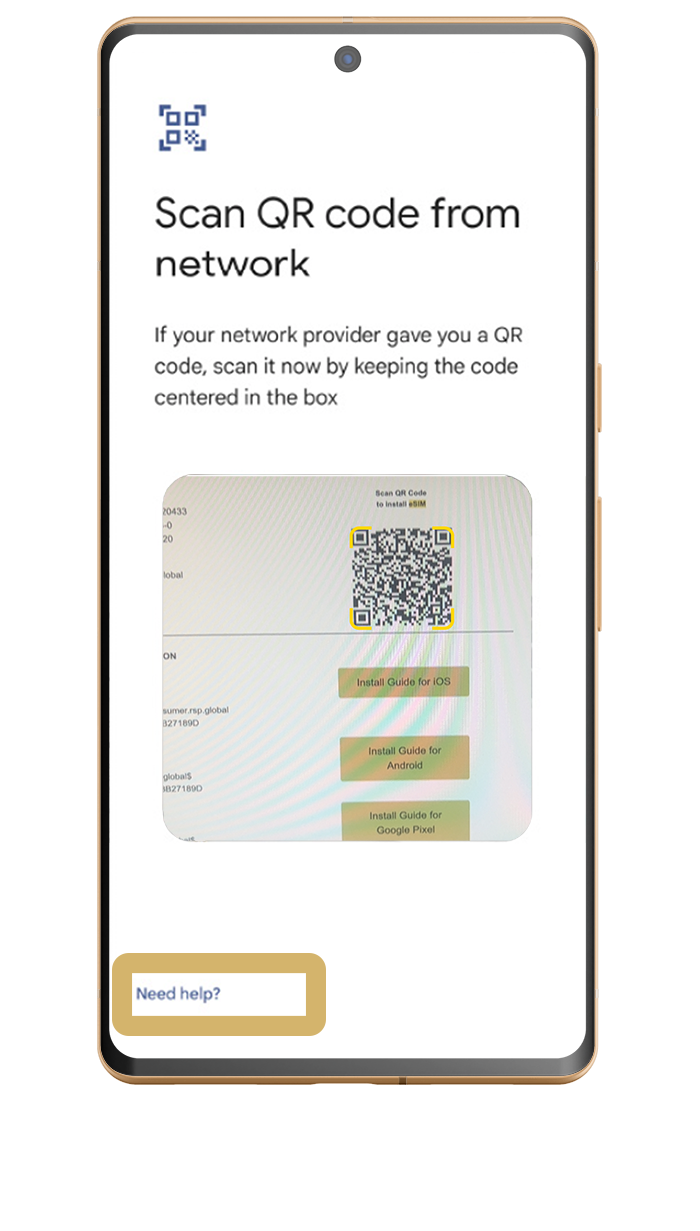
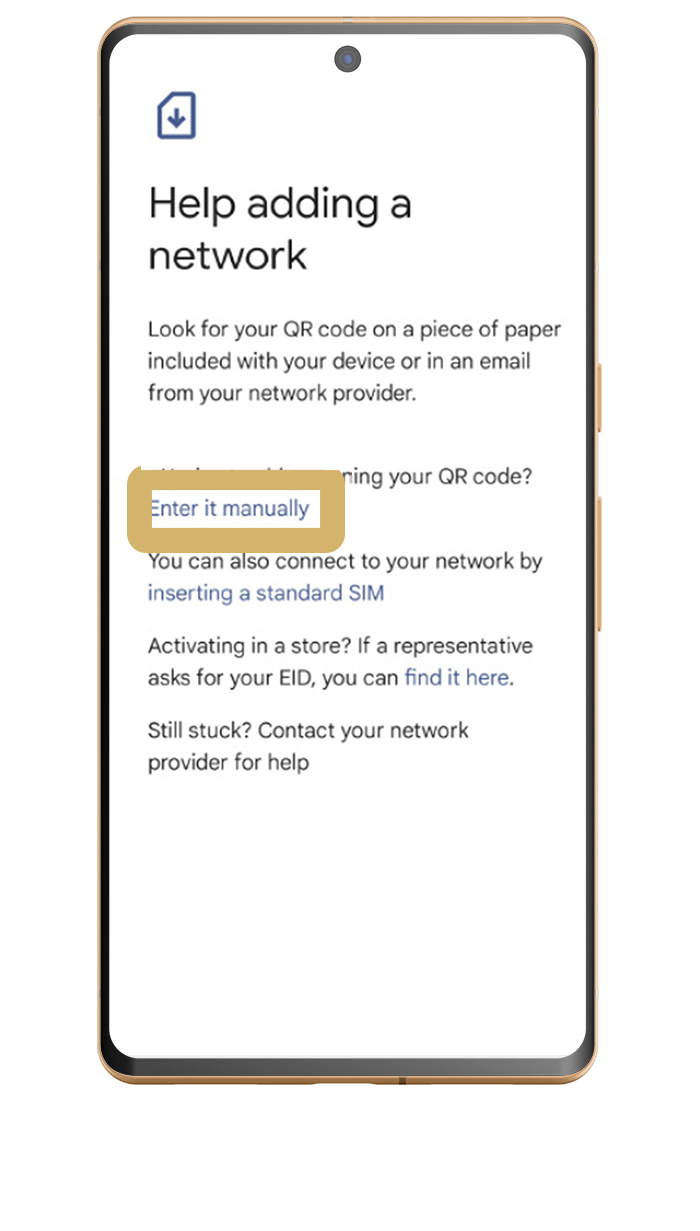
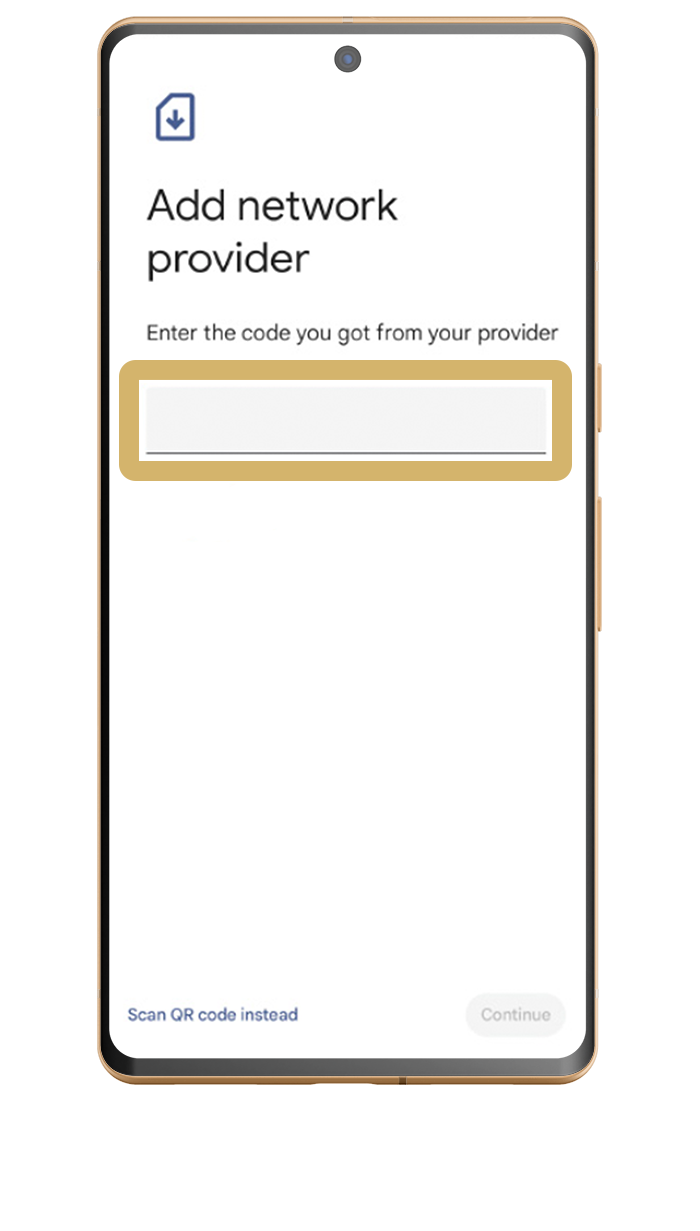
Scan QR code
The QR Code will be sent to you via email upon purchase.
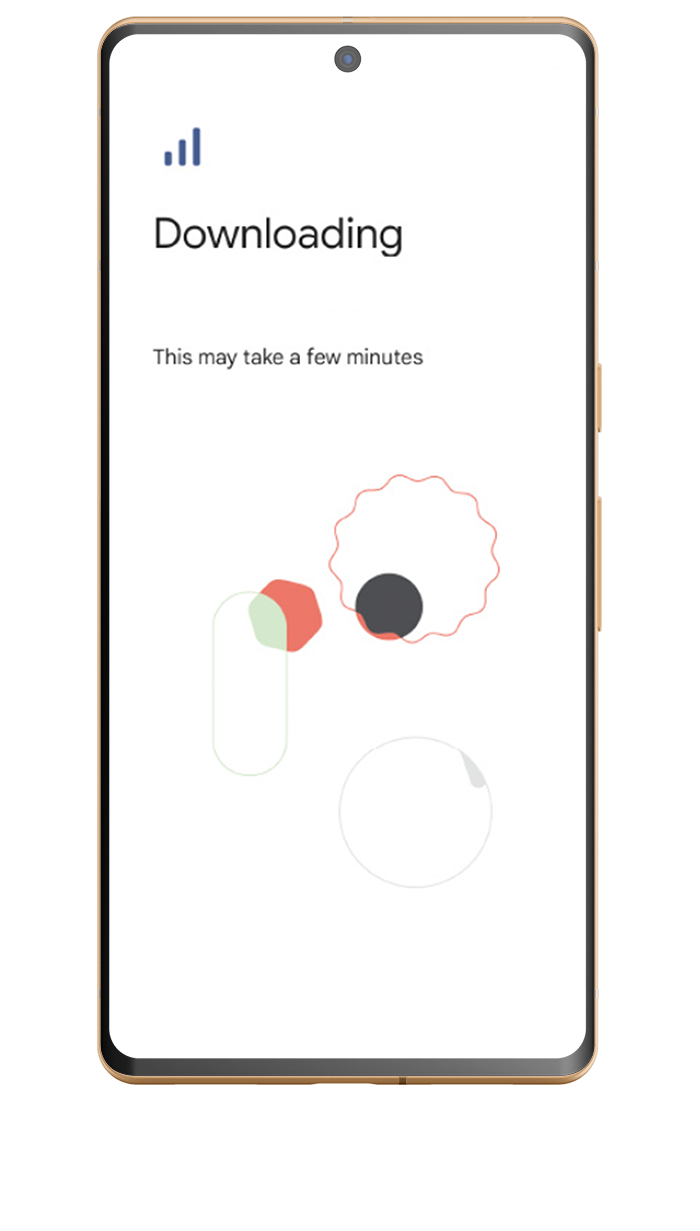
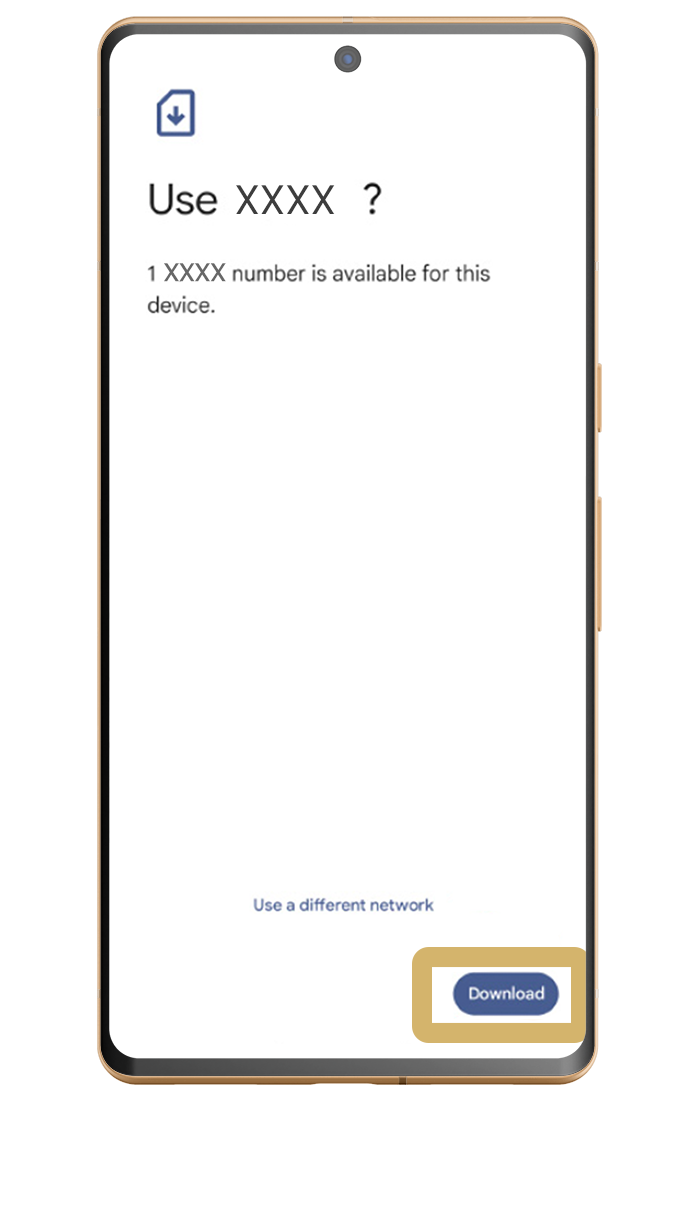
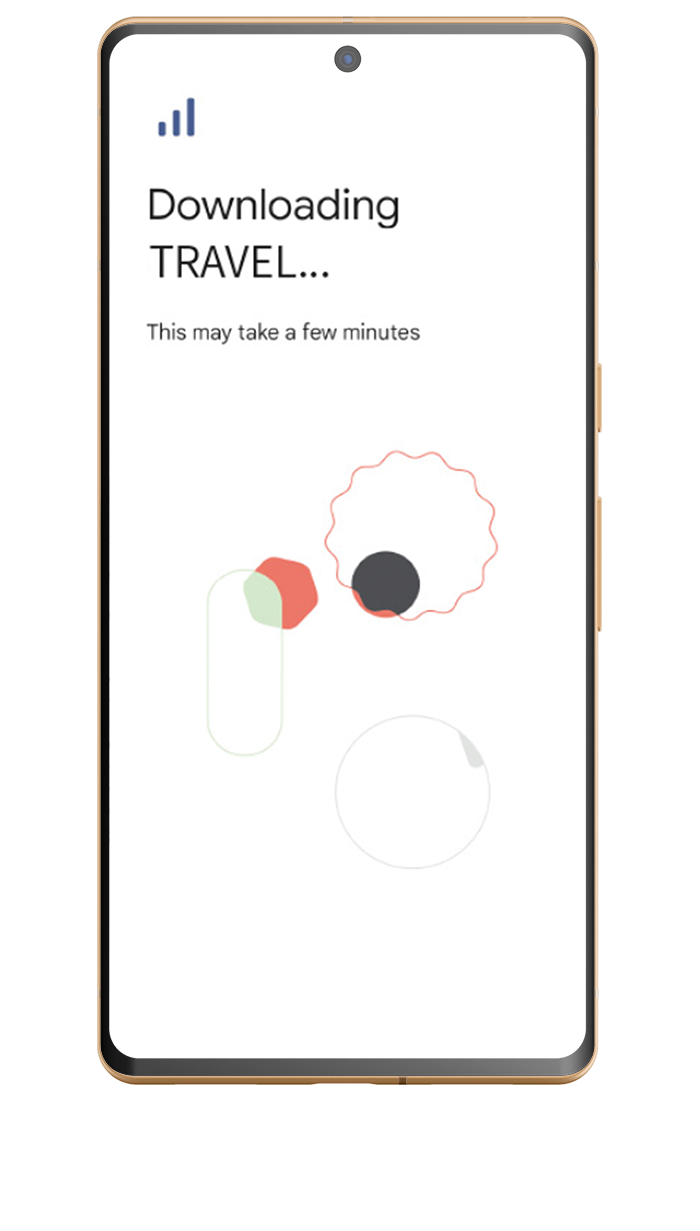
Wait for download
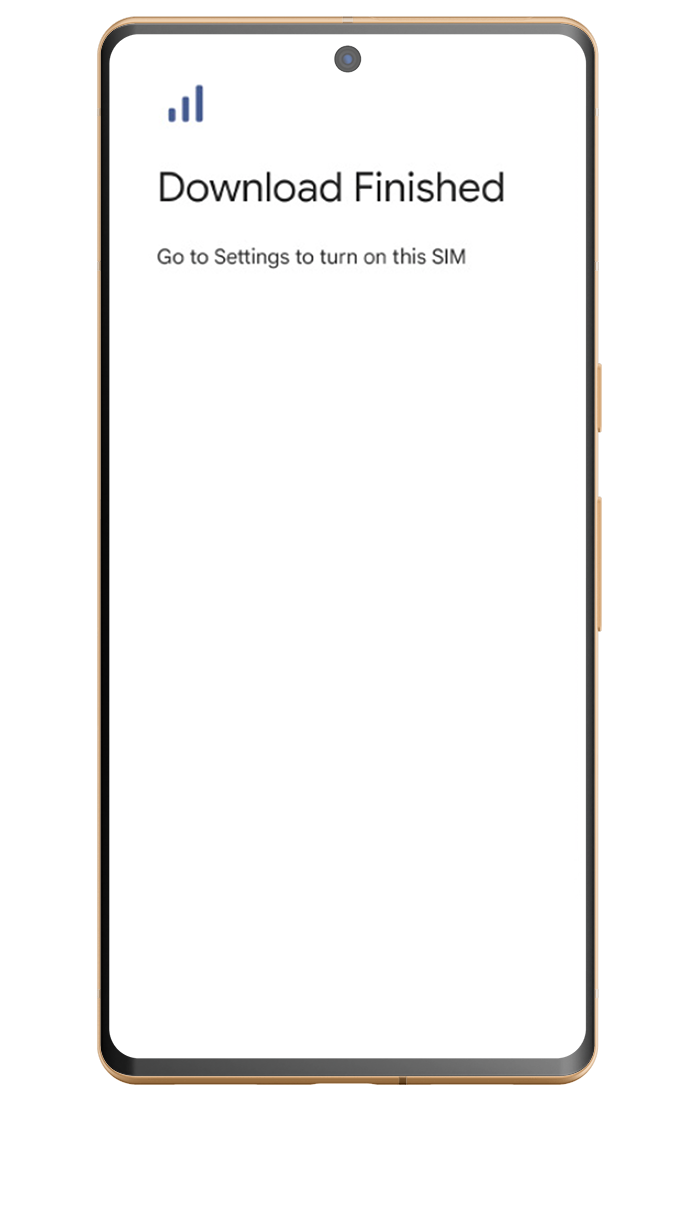
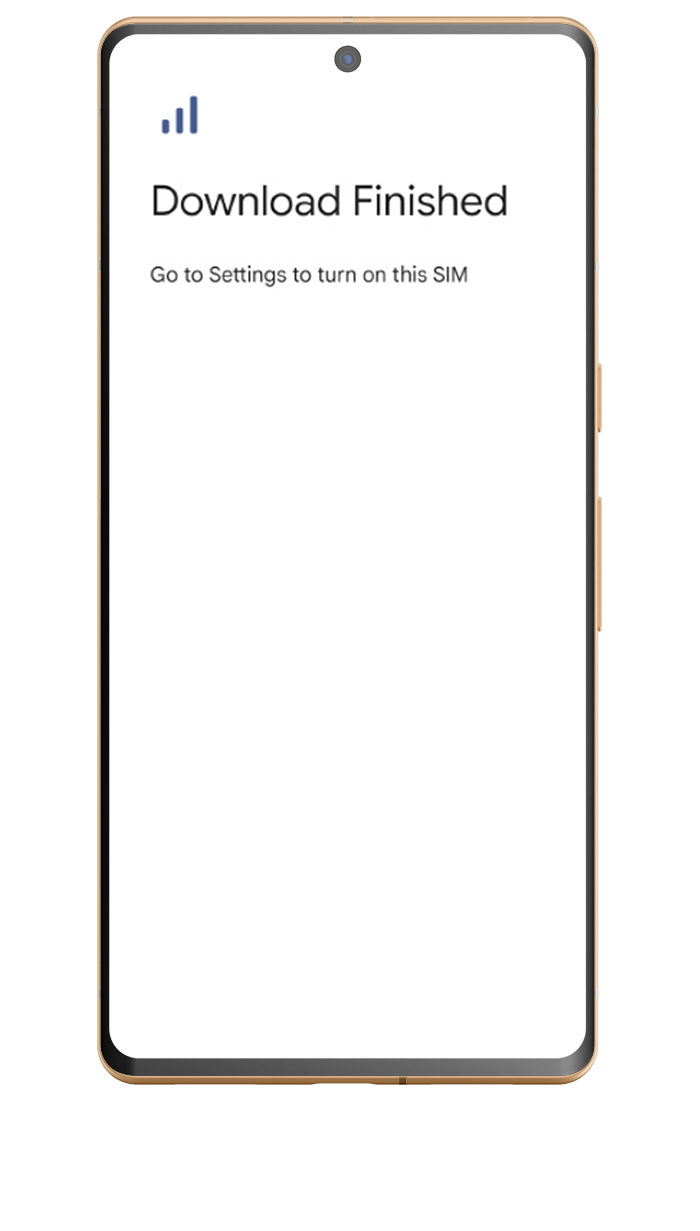
Successful Installation
1
2
3
4
5
6
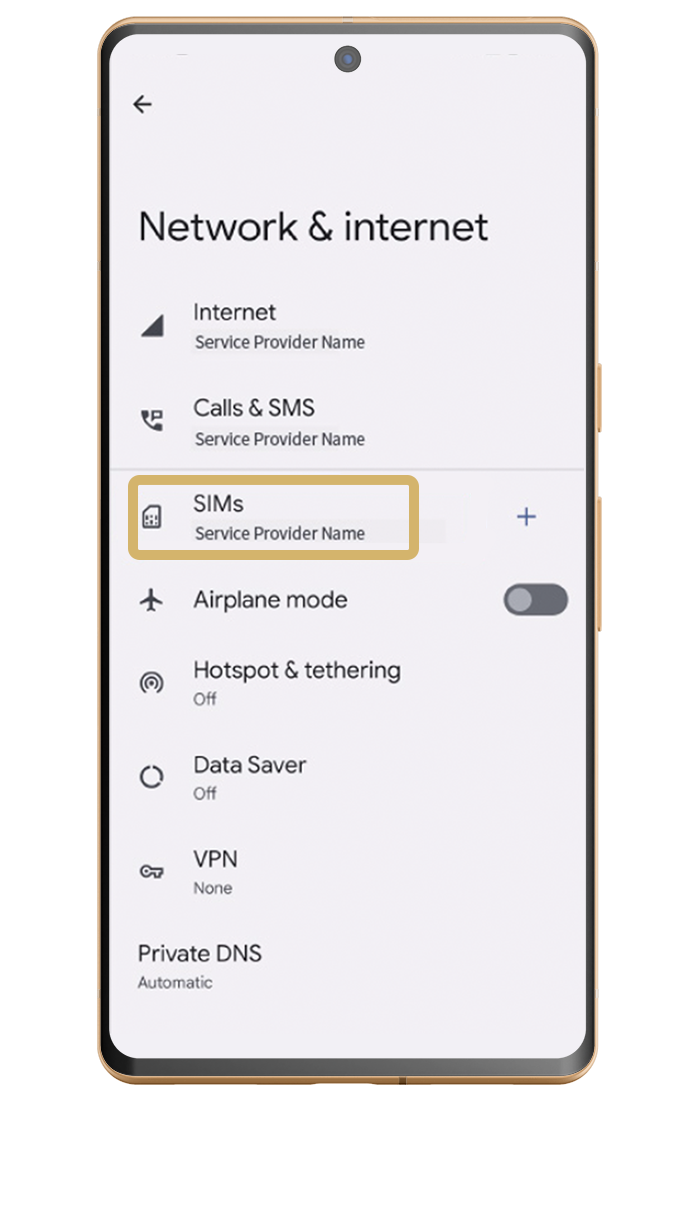
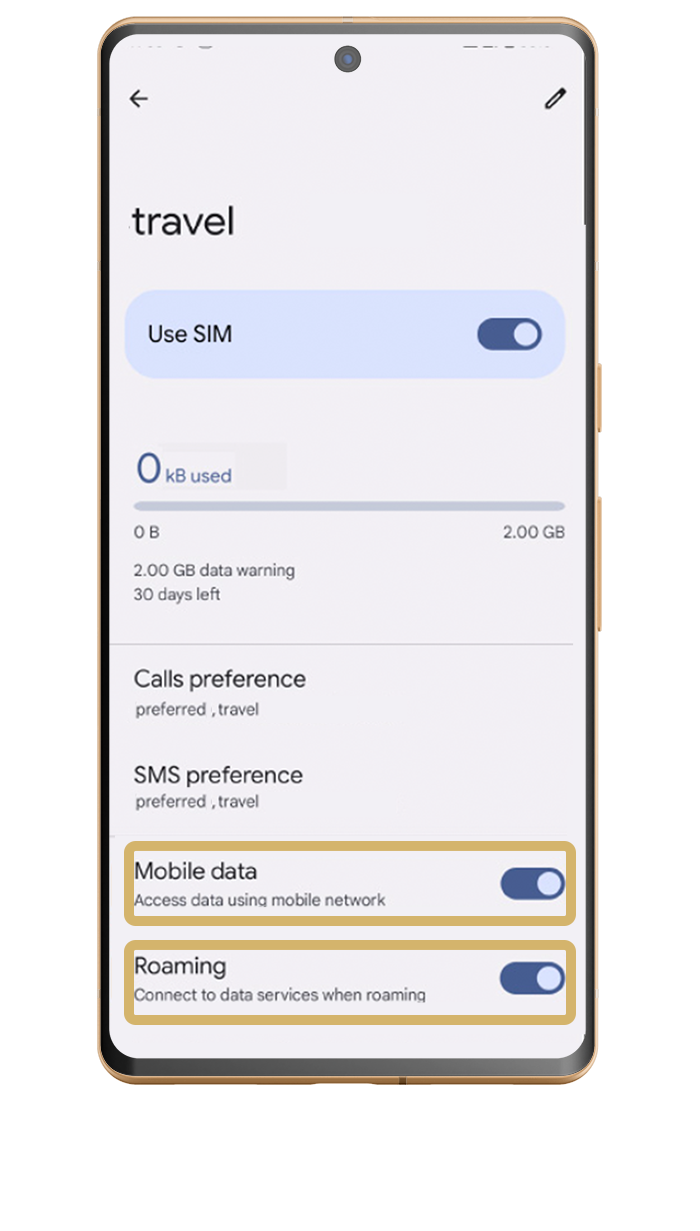
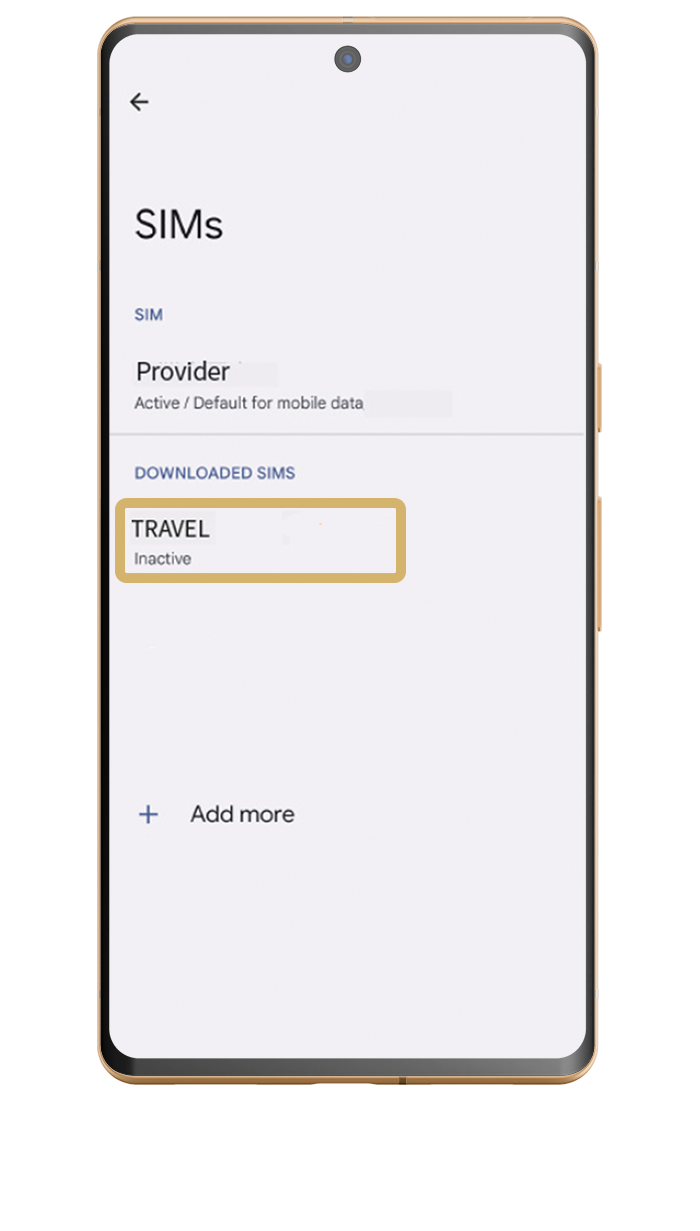
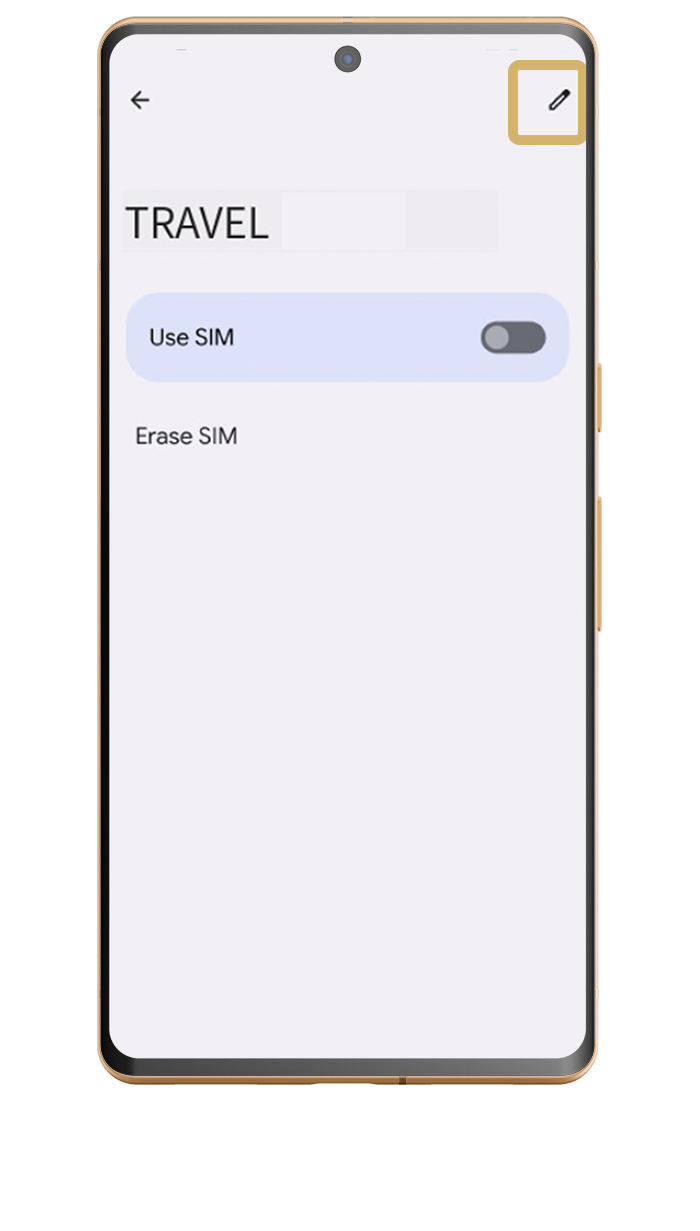
Go to settings - network & internet - SIMs
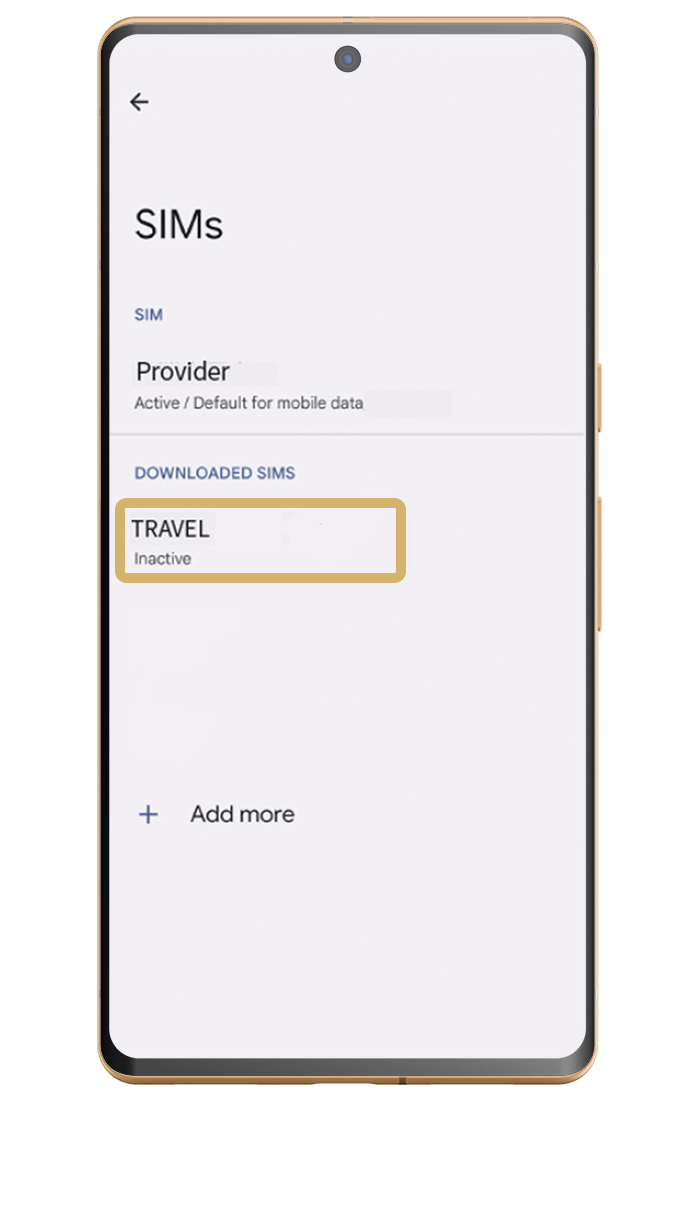
Select your new eSIM
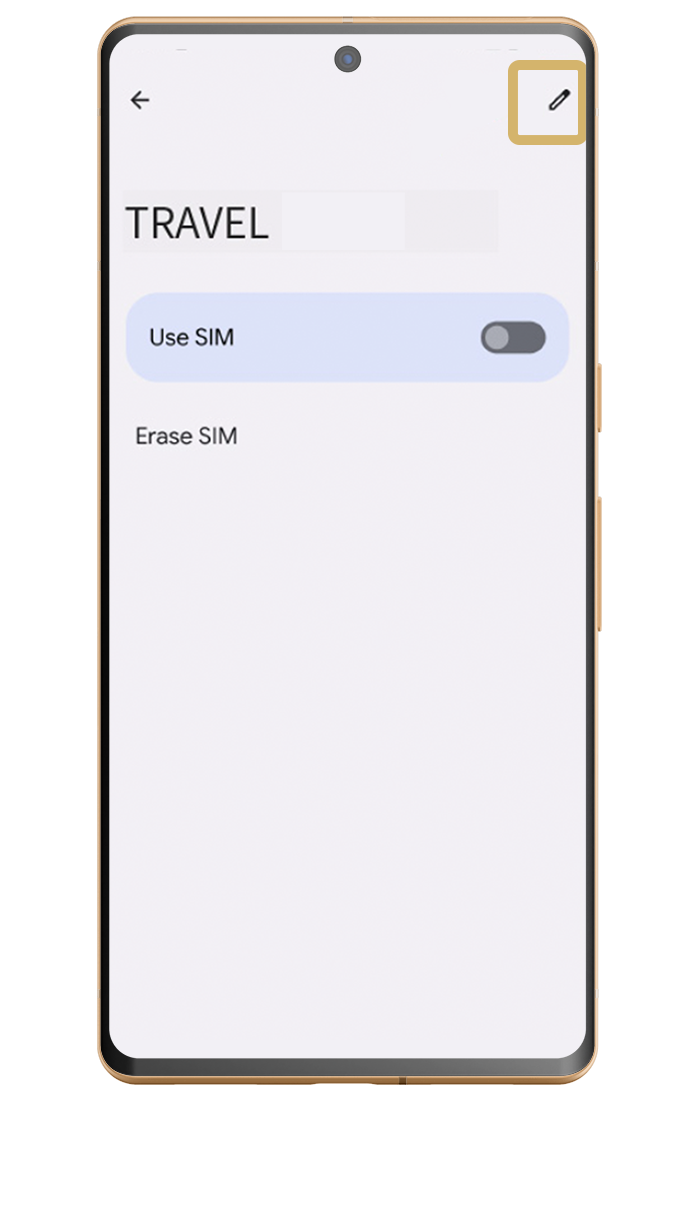
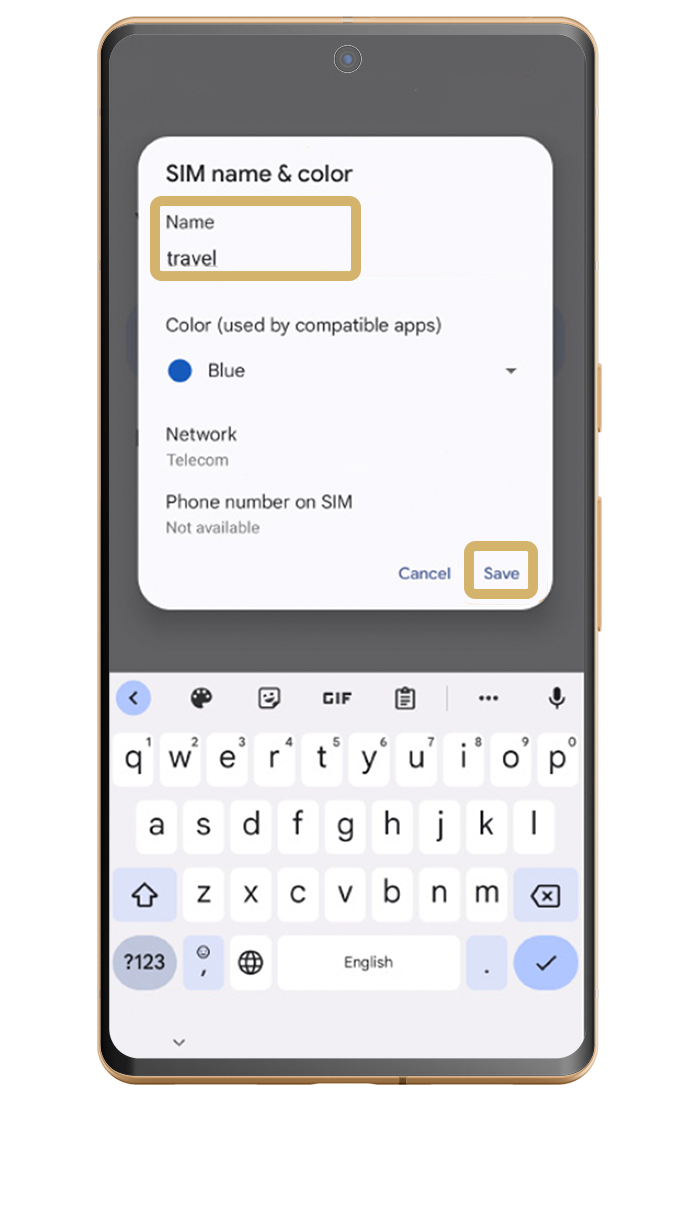
Select the edit button
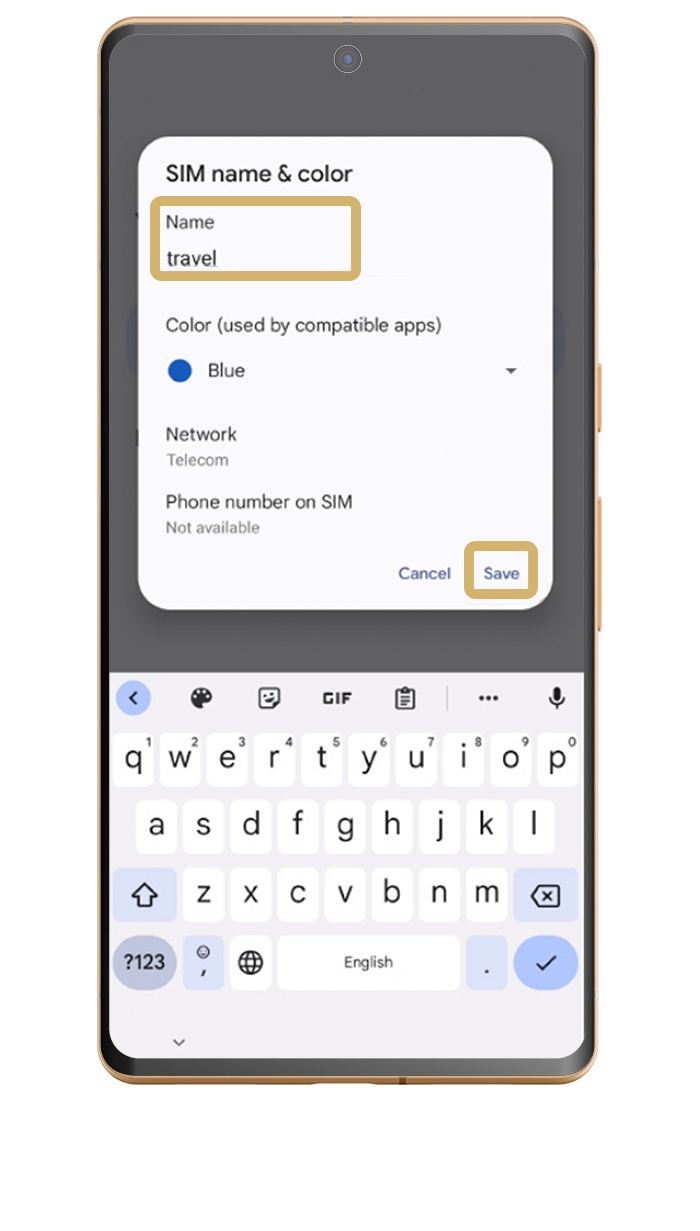
Name your SIM and click save
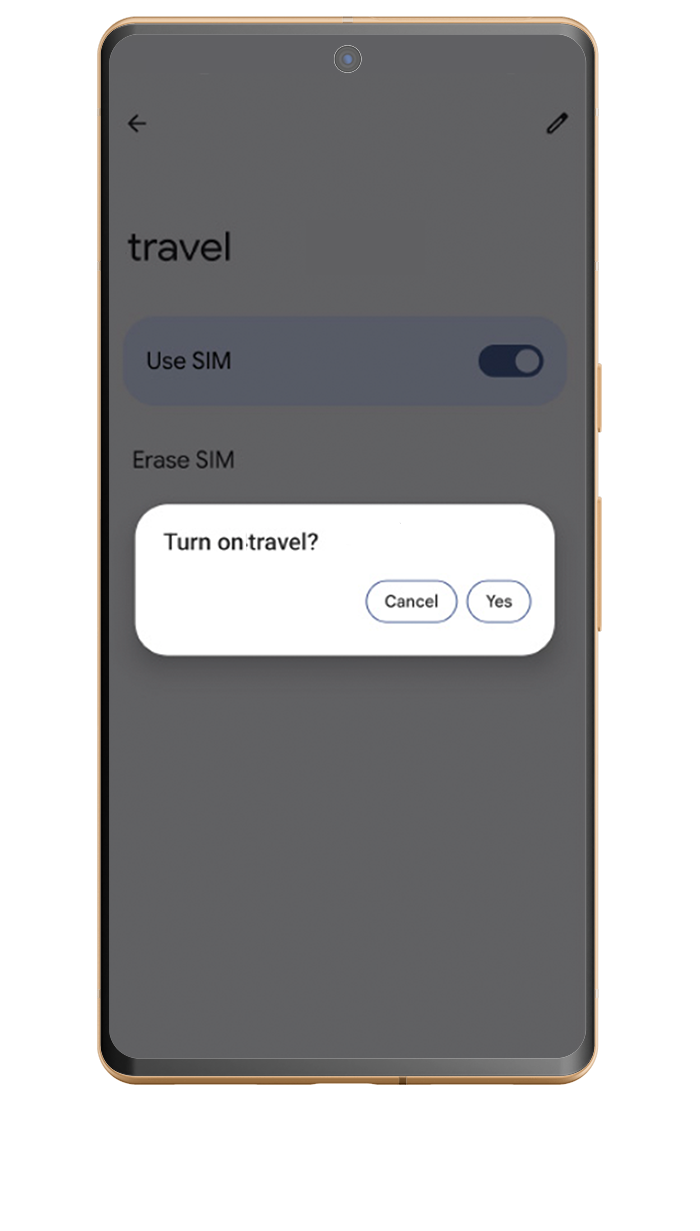
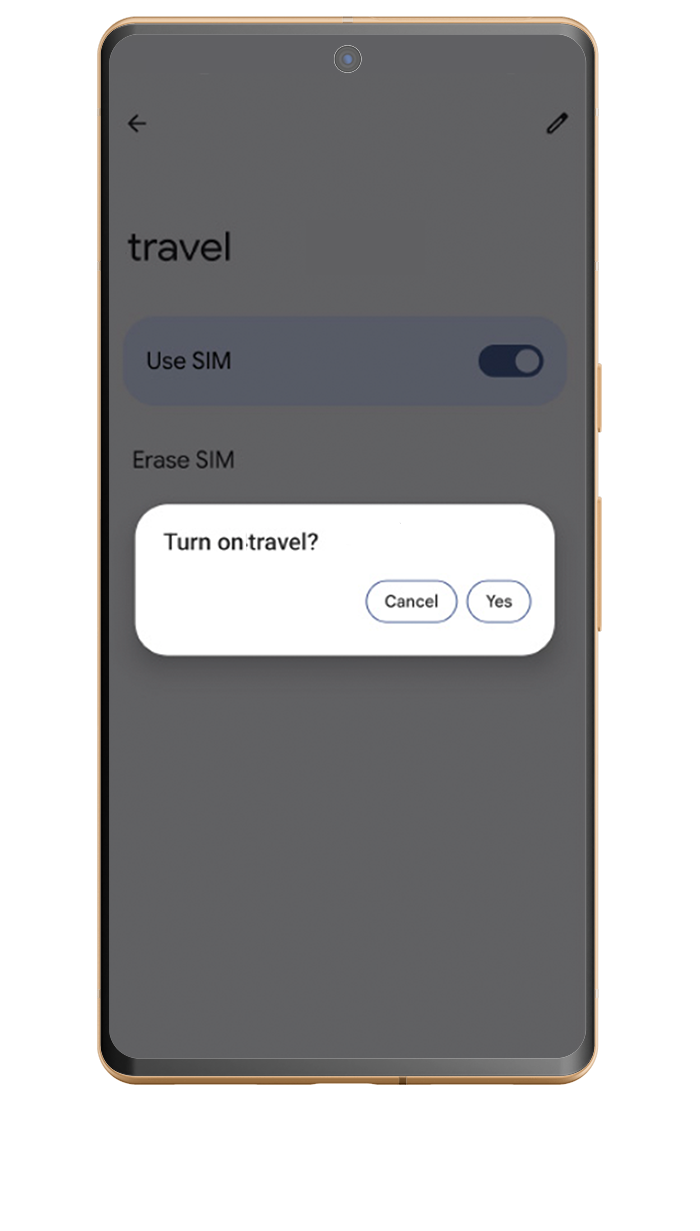
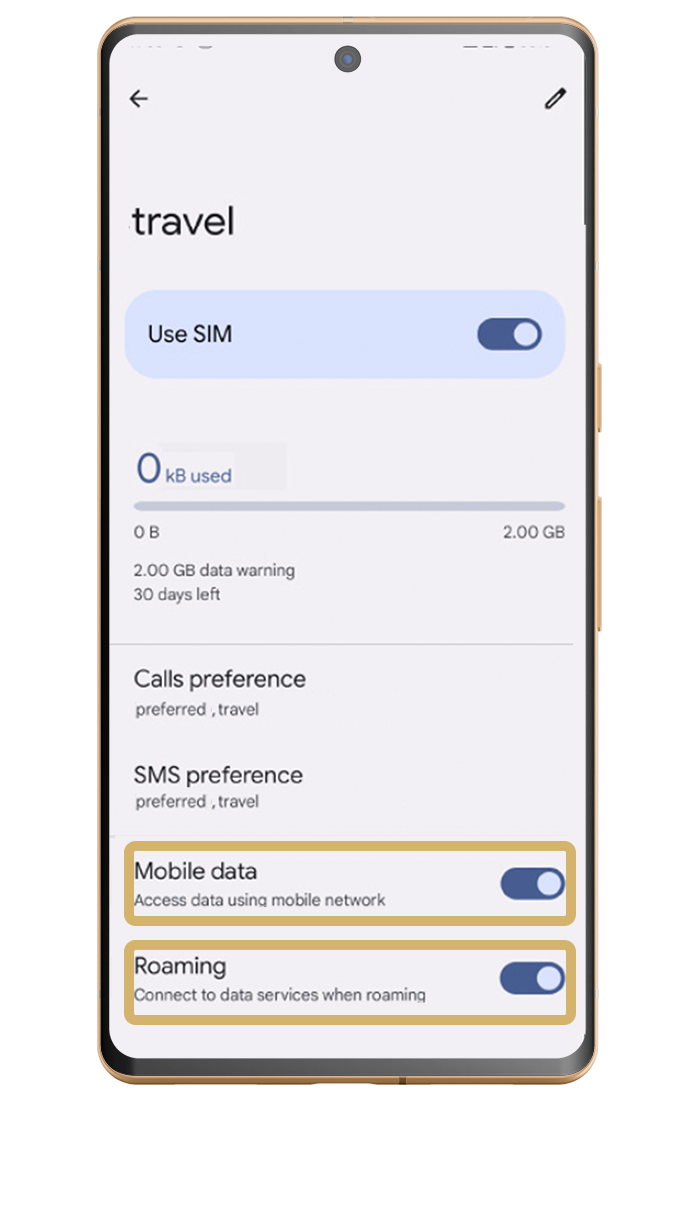
Click 'use SIM'